






Following the release of Season 4 in late 2025, the final season 5 of The Witcher is expected to arrive by the end of 2026. Now is a great time to catch up or rewatch the story!
To avoid the frustration of internet lag and buffering while streaming online, the best way to immerse yourself is to download The Witcher TV series and watch offline. In this guide, we will show you how to do so using the Netflix mobile app and provide a tested solution to save The Witcher all seasons in 1080P MP4 for offline viewing on PC/Mac.

Official Way to Download The Witcher on the Netflix App (Mobile)
If you are looking to download The Witcher TV series for offline viewing during a long flight, the official Netflix app on Android, iOS, Amazon Fire tablets, and Google Chromebooks with the Play Store provides the safest and most straightforward solution for offline playback as long as you have an active subscription.
Note. This offline feature is only available on mobile devices. If you prefer to watch The Witcher offline on PC or a large screen device, Netflix currently doesn’t support it. You can skip to the desktop solution below for a more flexible method to save Netflix content as MP4 files.
Next, let’s see how to download The Witcher Season 1-4 on iPhone/Android.
STEP 1. Open the Netflix app on your mobile device.
STEP 2. Tap the “three horizontal lines” icon in the upper left corner and select the “Available for Download” category.
STEP 3. Browse through the list or tap the magnifying glass in the upper right corner to search for The Witcher. Once you find it, navigate to the show’s page.
STEP 4. Tap the “download arrow” icon next to each episode or season you wish to download. The download will begin, and once it’s complete, you can start watching from the “Downloads” section.
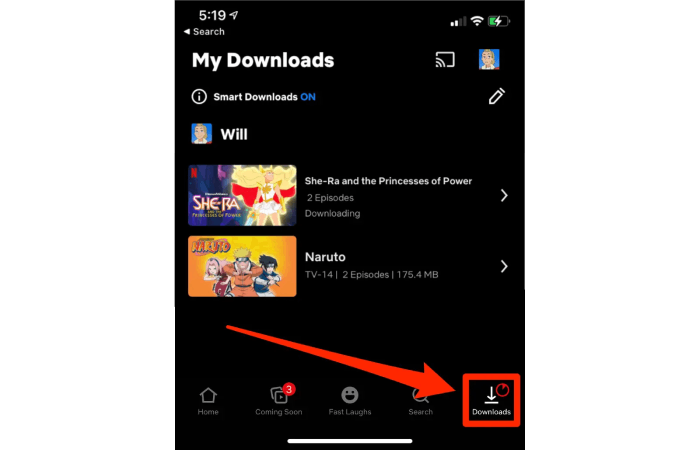
⚠️ Important Things to Know
In practice, Netflix downloads are temporary cache files only. This means you will face several limitations when trying to download The Witcher episodes, including:
- The Witcher downloads are only viewable via the Netflix app on the mobile device you used to download them.
- You cannot move Netflix downloads to other devices.
- They will expire after 7-30 days or 48 hours after playback starts.
- You can only get up to 15 The Witcher episode downloads monthly if you are using an ad-supported plan.
- Once your subscription ends, all downloads will be invalid immediately.
For more details, check: Netflix Download Limit: What is It & How to Get Around
To download The Witcher from Netflix without these limitations, it is advisable to take advantage of third-party Netflix downloaders as an alternative solution.
Best Tool to Download The Witcher Season 1-4 in 1080P on PC/Mac
Although Netflix once offered offline viewing through its Windows app, this feature has unfortunately been discontinued. So, how can you download The Witcher series on a computer for a more immersive experience? To overcome this limitation, alternative tools are needed.
MovPilot Netflix Video Downloader is a reliable choice. It features a built-in Netflix web browser, which lets you seamlessly convert any Netflix shows and movies in Full HD 1080P MP4 or MKV format, and save Netflix downloads on computers. Unlike the official app, this tool removes all playback restrictions, allowing you to keep your downloads permanently. Moreover, MovPilot also supports multiple audio tracks and subtitles, so you can, for instance, download The Witcher in Hindi without missing any plot details.
Key Features of MovPilot Netflix Video Downloader:
- Access, search, and convert Netflix videos to MP4 or MKV without the Netflix app.
- Support 5X faster download speed than the Netflix app.
- Download and keep 1080P HD Netflix movies, TV shows, or series without limits.
- Preserve Dolby Digital 5.1 surround sound for Netflix downloads.
- Offer various subtitle formats and languages, along with multiple audio track options.
Here are the detailed steps for downloading the Witcher episodes with MovPilot Netflix Video Downloader.
Step 1. Log in to your Netflix Account
Download and open MovPilot Netflix Video Downloader on your computer. Sign in with your Netflix account.
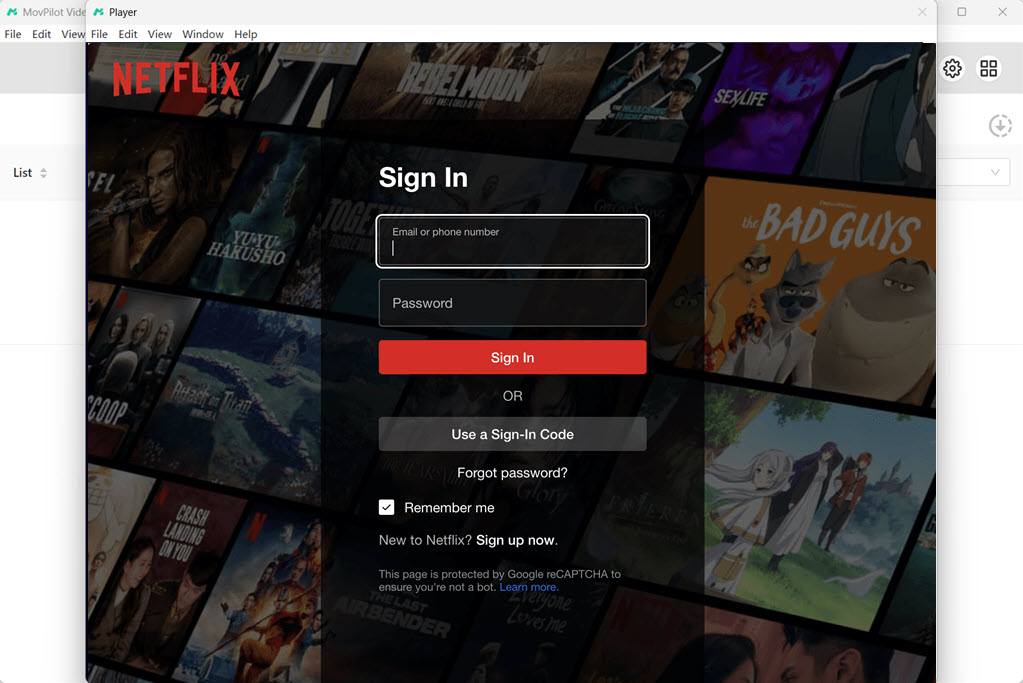
Step 2. Set Netflix Video Download Parameters
Before you start downloading, click the “gear icon” in the top right corner of the home page to access settings. Customize your video export format, video encoding, audio, and subtitle languages, as well as subtitle types, according to your preferences.
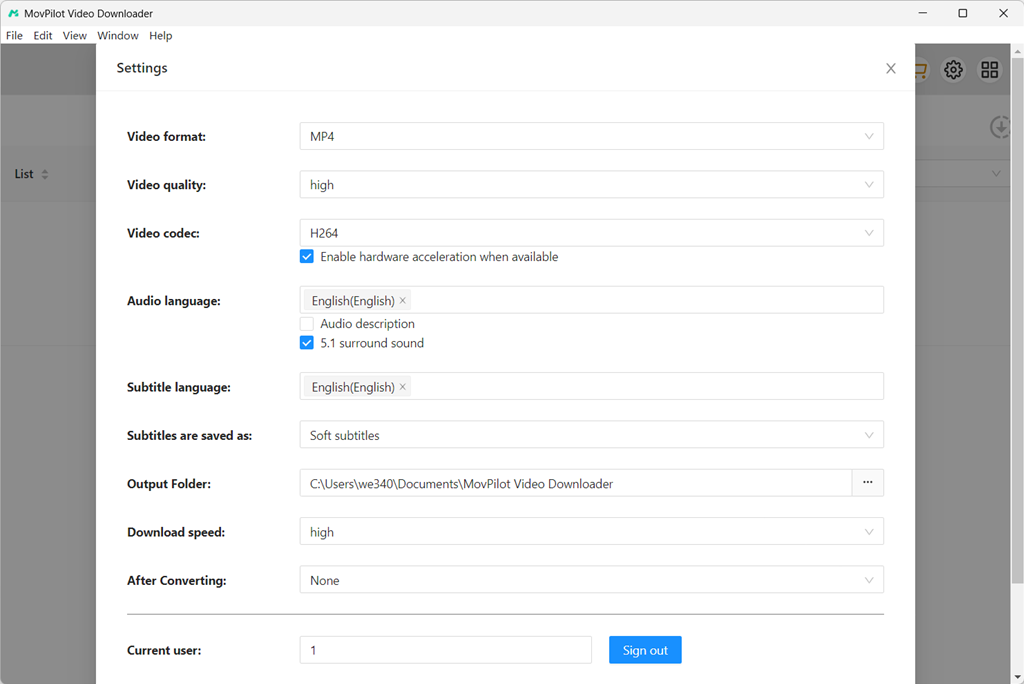
Step 3. Search for The Witcher Seasons
Return to the main page and type “The Witcher” into the search box. Alternatively, you can copy the URL from your browser, and the downloader will automatically parse it when you return.
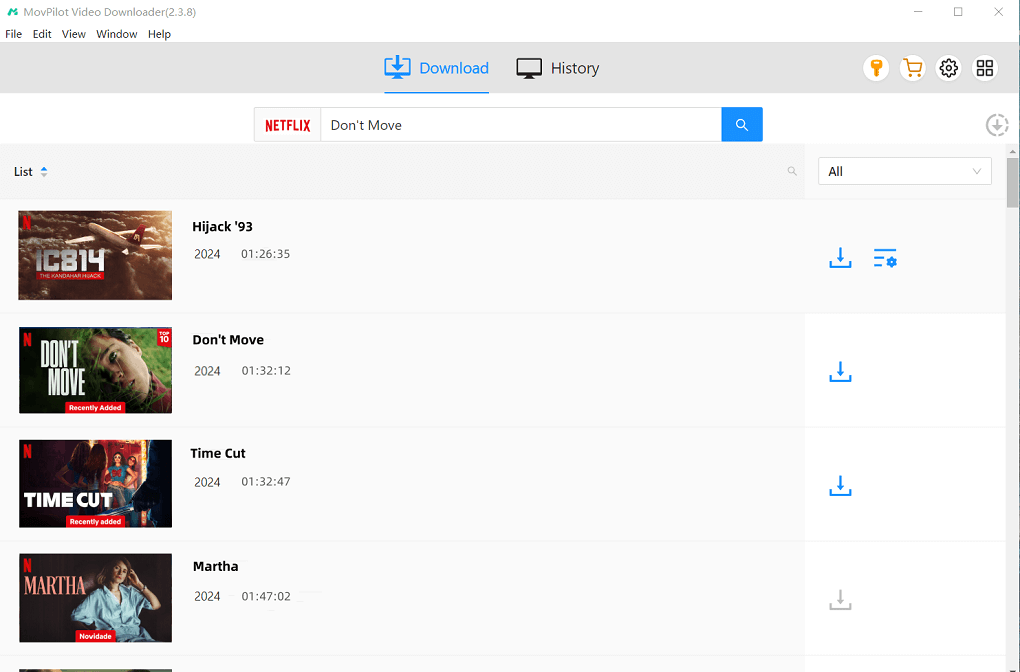
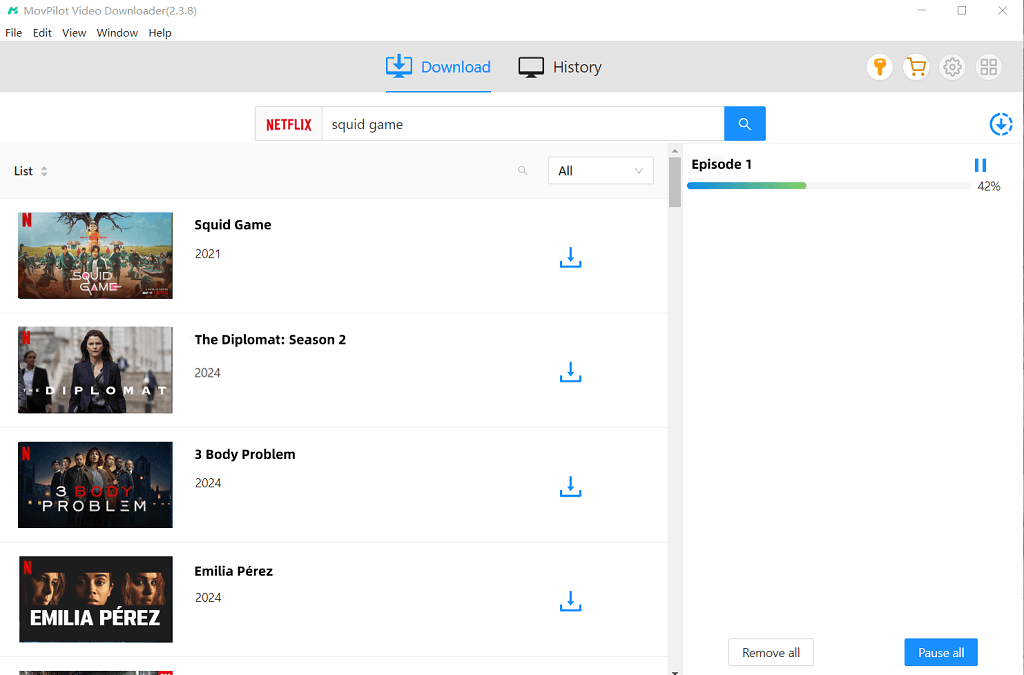
Step 4. Initiate the Witcher Episode Downloads
Click the download arrow next to the show and choose the season you wish to download. Hit “Download” to start the process.
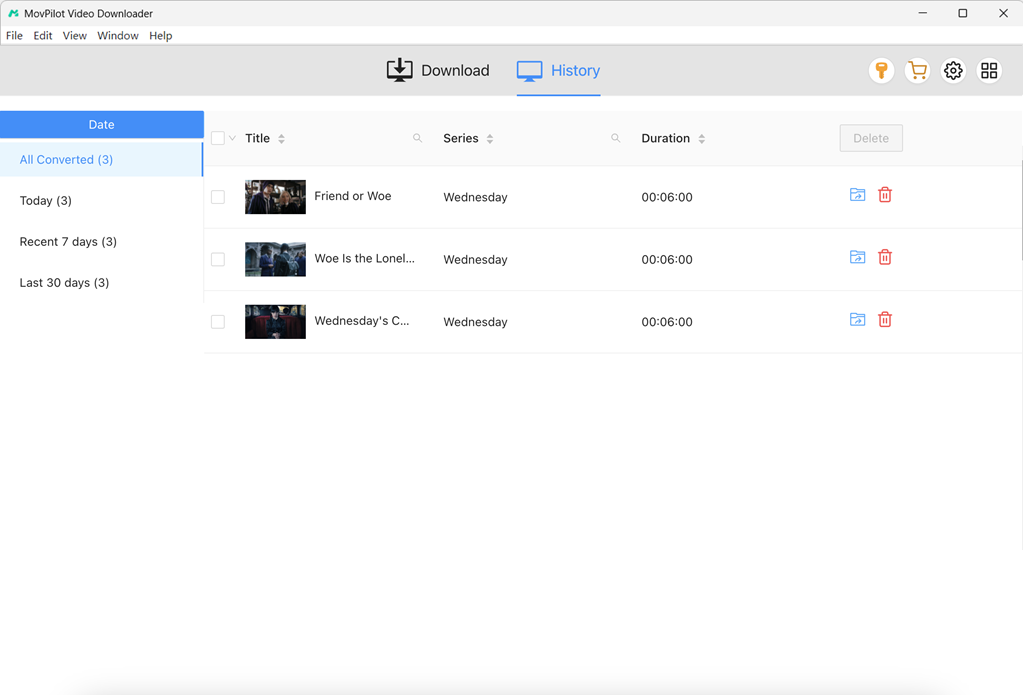
Once the download is complete, you can find the downloaded episodes in the “History” section. You can now binge-watch The Witcher series offline on your computer or transfer the files effortlessly to any device.
Recommended: More Tips to Watch Shows and Movies Offline
FAQs About Downloading The Witcher Series
Can you watch The Witcher on anything other than Netflix?
No. The Witcher is a Netflix-exclusive series, meaning it is only officially available for streaming on the Netflix platform.
Can you keep The Witcher TV series downloads forever?
It depends on the method you choose.
- Using the official Netflix app, you can only store The Witcher series downloads for 7-30 days. Moreover, once you start playing, the episode you are watching will expire after 48 hours.
- Using third-party tools like MovPilot Netflix Video Downloader, you can download The Witcher TV series to MP4/MKV on a computer with no restrictions. This ensures your downloads stay in your library forever.
Is there any way to download The Witcher episodes for free?
Yes, you may find some third-party websites or Telegram bots that claim to offer free downloads of The Witcher episodes. However, based on our real testing, these sources often come with security risks such as intrusive ads, unstable links, unknown files, potential malware, or viruses.
For safer alternatives, you can check out tips in this guide for more information: How to Watch Netflix for Free
When is The Witcher season 5 release date?
As of now, Netflix has confirmed that Season 5 will be the final season of The Witcher, and it will arrive in 2026. However, there is no announcement about the exact date yet. If you plan to download The Witcher season 3 or other seasons for a rewatch, now is a great time to catch up before the final chapter arrives.
Any movies or shows like The Witcher?
If you enjoy the epic world of The Witcher, here are some similar shows worth watching:
1. The Last Kingdom: A historical fantasy series centered on a warrior’s journey, with intense battles and complex characters.
2. Game of Thrones: A must-watch for fans of political intrigue and dark fantasy. Like The Witcher, it features morally complex characters, power struggles, and an unpredictable storyline.
3. The Mandalorian: Geralt and the Mandalorian share a similar “lone protector” dynamic. If you enjoy episodic adventures with a mysterious hero, this series delivers a comparable vibe.
4. Shadow and Bone: A Netflix fantasy series with magical elements and a rich, immersive world, which is ideal for fans of The Witcher’s fantasy setting and epic narrative.
5. The Letter for the King: This series is a fantasy adventure following Tiuri, a young squire-in-training who breaks his vigil vows to deliver a secret, crucial letter across dangerous mountains to a king.
6. Stranger Things: While the setting is different, it resonates with The Witcher’s supernatural elements and strong character bonds.
7. The Last of Us: If you like emotional depth and survival storytelling, this series offers a dark, character-focused narrative similar to Geralt’s journey.
8. The Lord of the Rings: A masterpiece for fans of epic world-building, mythical creatures, and large-scale storytelling.
Final Words
This article has walked you through how to download The Witcher TV series with proven methods on mobile and desktop. While Netflix’s official app allows downloads, it comes with many restrictions. To overcome these, MovPilot Netflix Video Downloader offers a more flexible solution, letting you download The Witcher episodes in MP4 or MKV formats that never expire. With MovPilot, you can watch your favorite Netflix shows offline anytime, on any device, without limitations, and enjoy truly unrestricted binge-watching.