






Great news! The long-awaited Stranger Things season 5 officially premiered on November 26, 2025! As the story reaches its finale, many fans are looking to download Stranger Things for binge-watching previous seasons, catching up on missed episodes, or even making HD backups for offline viewing without restrictions.
If you are one of them, this article is for you! We will show you how to download all episodes of Stranger Things Season 1-5 in 1080P, so you can enjoy an unlimited, immersive offline viewing experience! Keep reading now and relive the thrills and excitement of Hawkins, Indiana!

Brief Introduction to Stranger Things::
“Stranger Things” follows a group of kids in 1980s Indiana as they encounter supernatural mysteries, government conspiracies, and a girl with psychokinetic abilities named Eleven. Across four seasons, they battle Upside Down, face personal struggles, and uncover secrets while navigating friendship, love, and growing up. In the fifth and final season, the team must confront the final, ultimate war against Vecna and the impending darkness that has fully invaded Hawkins.
Stranger Things Season 5 Release Dates (Latest Updates)
Unlike previous seasons, Netflix has confirmed that Stranger Things Season 5 will be released in 3 parts instead of dropping all episodes at once. Currently, Volume 1, with the first four episodes, is already available. This can let you get more time to dive into the final story.
Here is the latest Stranger Things Season 5 release schedule:
| Volume1 | Episodes 1-4 | November 26, 2025 |
| Volume2 | Episodes 5-6 | December 25, 2025 |
| Finale | Episode 8 | December 31, 2025. |
If you have already downloaded Stranger Things Seasons 1–4, now is the perfect time to update your collection with Season 5!
What App Can I Download to Watch Stranger Things?
Generally, you can use the Netflix app to download Netflix movies (including Stranger Things) for offline viewing if you have subscribed to the ad-free plans. However, the app has officially imposed plenty of Netflix download limits, making it impossible for you to keep your Netflix downloads forever.
But don’t worry. There does exist a method to save Stranger Things downloads from Netflix forever – downloading Stranger Things episodes to common MP4 files. Here, MovPilot Netflix Video Downloader is recommended. This app helps download any Netflix video to MP4/MKV in 1080P resolution, and for sure, including all the episodes of Stranger Things Season 1-4. What’s more! You can use MovPilot to download Stranger Things episodes with any Netflix plan, even the ad tiers.
Check more highlighted features of MovPilot::
- Remove DRM and keep Stranger Things downloads forever.
- 5X faster batch mode to download Stranger Things full seasons together.
- Support downloading soft subtitles, hard subtitles, and external subtitles.
- Provide multilingual subtitles in up to 6 kinds of languages.
- Feature a built-in search engine to ensure seamless Stranger Things TV series downloads.
With MovPilot, it will be easy to download all the episodes of Stranger Things for offline viewing. You can keep the downloads forever, transfer them to any device, and play them with any local player. Read on to get the tutorial for how to download Stranger Things in 1080P MP4 with MovPilot.
How to Download Stranger Things Season 1-5 in 1080P Permanently
Downloading the entire series of Stranger Things is very easy if you have MovPilot Netflix Video Downloader. With simple clicks, you get through the whole process easily. Here are the detailed steps:
Step 1. Install MovPilot Netflix Video Downloader
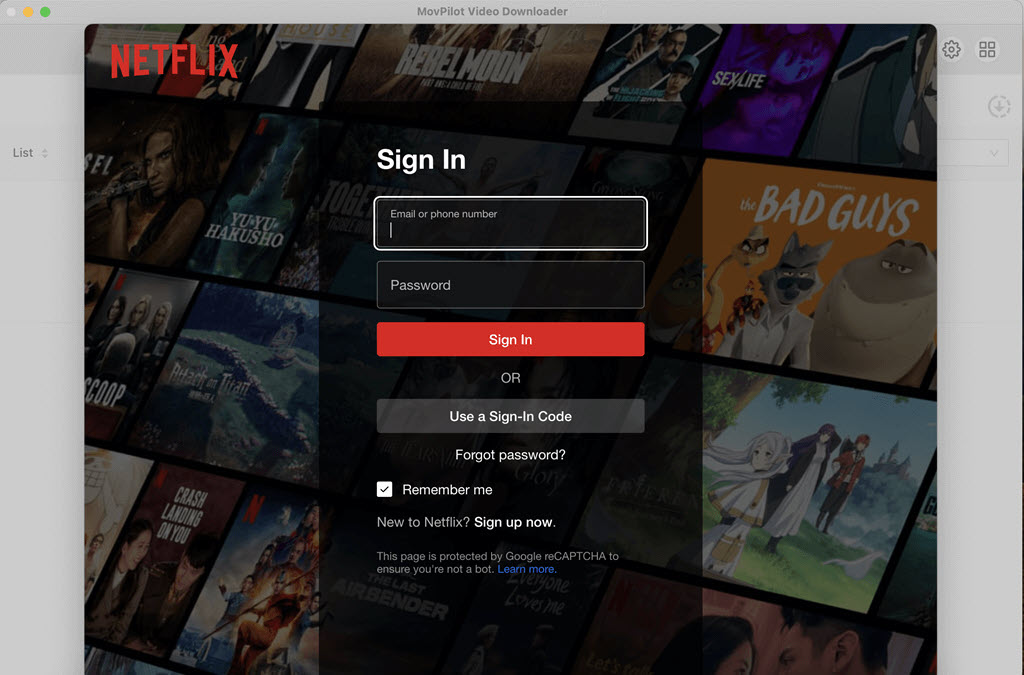
Download, install, and launch MovPilot Netflix Video Downloader on your PC/Mac. Select the Netflix service on the home page, and then log in with your Netflix account.
Step 2. Choose Preferred Output Settings
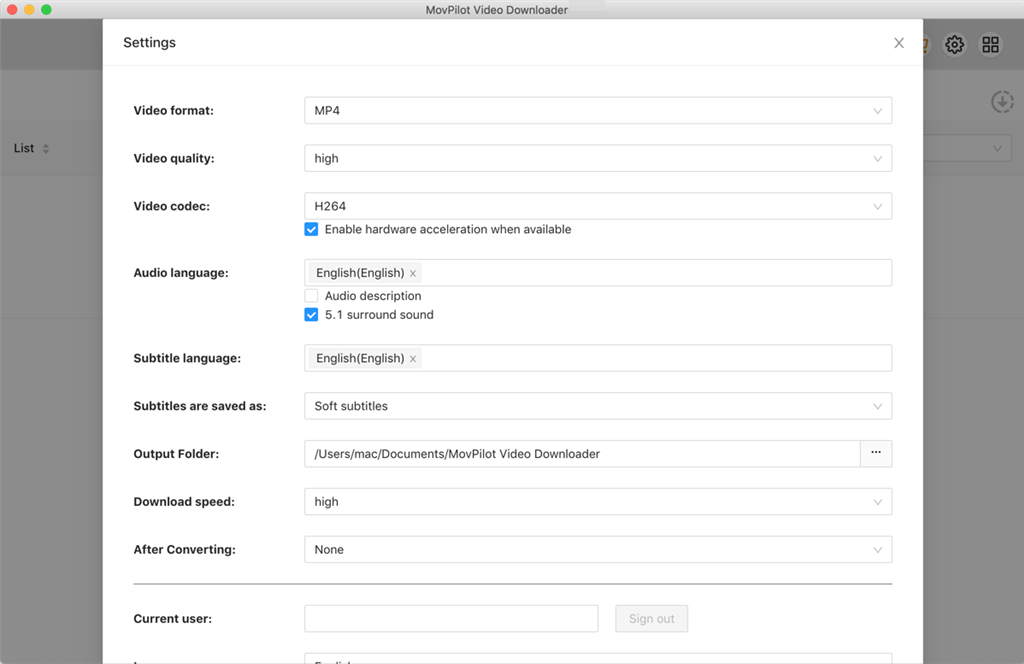
Click on the gear icon on the top-right to go to Settings. Preset MP4/MKV/MOV as the output format and adjust other video parameters based on your needs, such as video quality (Enable high by default), audio languages, subtitle languages, and more.
Step 3. Search for Stranger Things Season 1–5
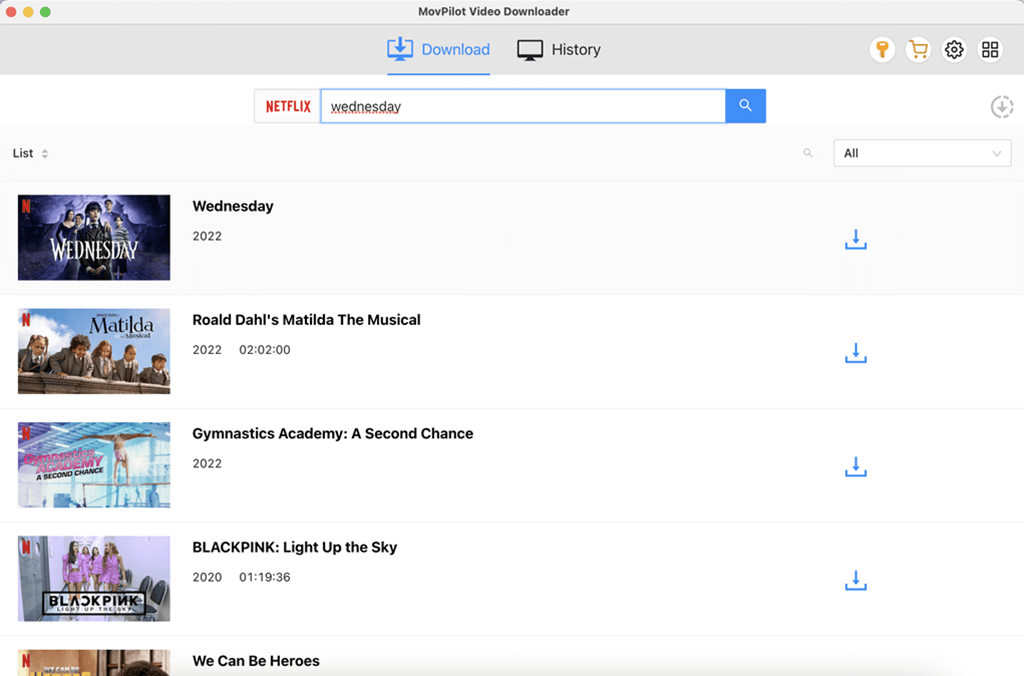
Use the integrated search engine to search for the Stranger Things show. MovPilot will instantly display all available seasons, including the latest episodes from Season 5.
Step 4. Select Episodes, Seasons to Download
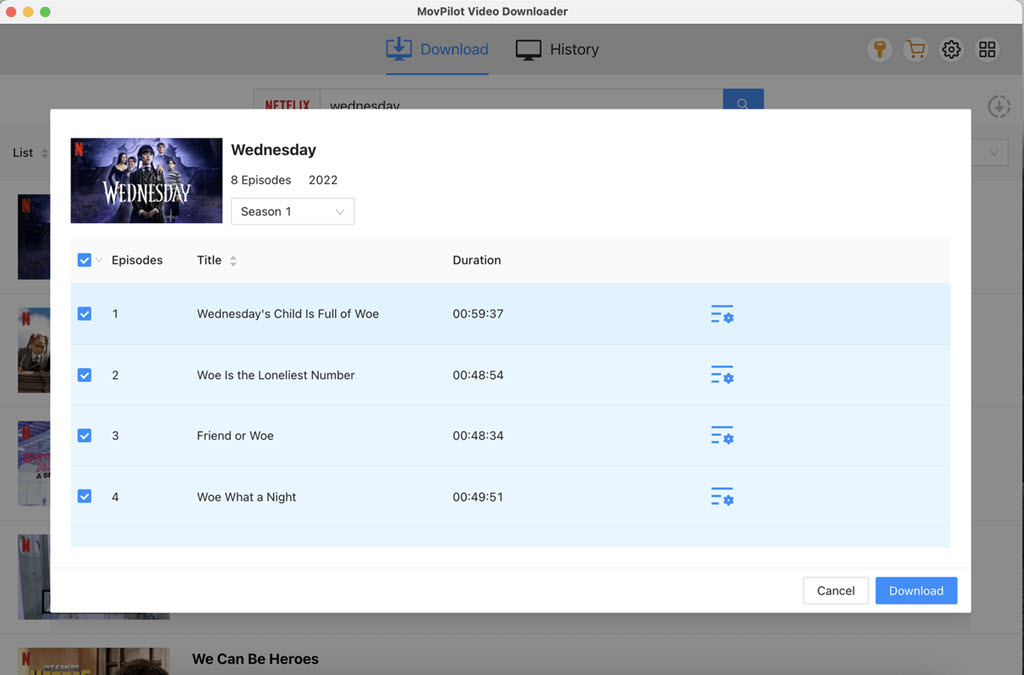
Choose and tick the episodes you want to download. You can also select Stranger Things full seasons at once for quicker bulk downloading.
Step 5. Download and Save Stranger Things as MP4/MKV/MOV
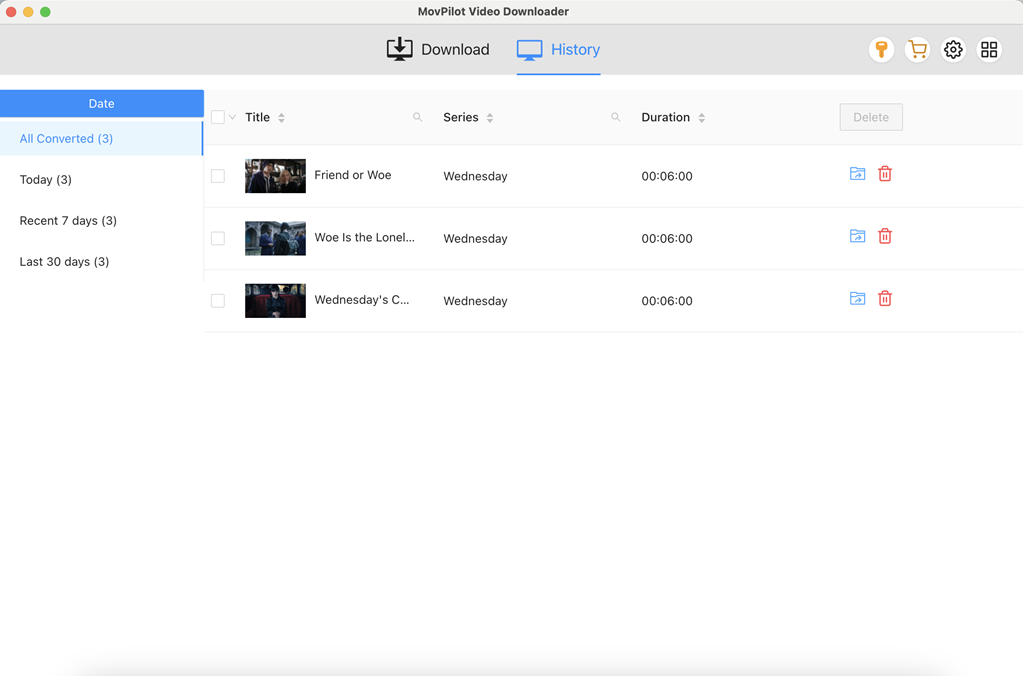
Click on the Download button, and MovPilot will start downloading Stranger Things episodes to PC at 5X faster. After that, move to the History tab and click on the folder icon to locate the local saving folder. You can then watch Stranger Things offline on your computer or transfer these Netflix downloads to your TV for larger screen viewing.
You May Also Like:
FAQs about Downloading Stranger Things
How can I watch Stranger Things without Netflix?
You can only stream Stranger Things through Netflix. But if you mean watch Stranger Things without disturbing Netflix’s official download limits, you can try to use third-party Netflix video downloaders to download Stranger Things to common MP4 files and watch them offline whenever you want.
Can I Download Stranger Things for Free?
Sadly, you can’t download Stranger Things for free. Netflix has canceled the free trial, so you have to subscribe to its available plans monthly to download Stranger Things on Netflix. If you still want to get a free trial before subscribing or maximize what you can get from a free account, there are also several methods available to enjoy Netflix for free, such as purchasing these T-Mobile plans or getting a free Netflix gift code from Zouton for a free subscription.
Which website can I use to download Stranger Things?
You may come across some websites online claiming to to be able to download Stranger Things season 5 directly through your browser without installing any software. However, these sites are absolutely not recommended as they are often pose potential security risks and a poor user experience:
- Filled with intrusive ads and malicious pop-ups.
- May collect cookies, leading to privacy breaches.
- Offer download links that may contain viruses or malware.
- Provide low video quality even if the download succeeds.
Therefore, we highly recommend using a professional tool like MovPilot Netflix Video Downloader. It ensures an ad-free, virus-free experience and lets you watch downloaded Netflix shows offline on a plane or anywhere.
What are the most important episodes to watch before Stranger Things season 5?
The Duffer Brothers, creators of Stranger Things, have recommended 4 must-watch episodes that are key to understanding the Stranger Things mythology and foreshadowing:
- “Will the Wise” (Season 2, Episode 4)
- “The Spy” (Season 2, Episode 6)
- “Massacre at Hawkins Lab” (Season 4, Episode 7)
- “The Piggyback” (Season 4, Episode 9)
To easily rewatch these episodes offline and catch every important detail, using MovPilot for a Stranger Things season recap download is highly recommended.
What is the most iconic Stranger Things scene?
The Stranger Things series is packed with unforgettable scenes, but those most frequently mentioned by fans and critics often include:
- Season 4, Episode 4 – Max escaping Vecna to the background music of “Running Up That Hill”.
- Season 1, Episode 3 – Joyce attempts to communicate with Will in the Upside Down through Christmas lights.
- Season 2, Episode 9 – A heartwarming and emotional ending when the kids attend Hawkins Middle School Snow Ball dance.
- Season 4, Episode 9 – Eddie Munson performs a rock solo on the roof of his trailer in Upside Down.
- Season 3, Episode 8 – Dustin and his girlfriend Suzie passionately singing the theme song from “The NeverEnding Story”.
If you want to save these iconic clips or create personal highlight videos, you can download Stranger Things episodes as MP4 in high quality. Also, feel free to share your most classic Stranger Things moment in the comments section!
Are There Any Other Movies like Stranger Things Recommended?
Yes, of course! There are several must-see movies when you are waiting for Stranger Things season 5. These movies come pretty close to Stranger Things for small-town terror and adventure.
- The Vast of Night
- My Friend Dahmer
- Close Encounters of the Third Kind
- Stand by Me
- The Lost Boys
- Silver Bullet
Final Words
By now, you know how to download all episodes of Stranger Things easily and safely. If you can’t wait to rewatch or catch up on season 5, use MovPilot Netflix Video Downloader right now to download Stranger Things Seasons 1-5! In just a few steps, you can save multiple 1080p MP4 files at once for permanent offline viewing without any restrictions. Click the button below to keep the adventures of Hawkins on your device forever!