






“I came across a few clips of Challengers online, and one scene where the protagonist pulls off a game-winning shot in a thunderstorm really caught my attention. It made me super interested in the movie! Does anyone know where I can download and watch the full film? Preferably in HD. Thanks in advance!”
Looking to download the HD version of Challengers? You’ve come to the right place. In this article, we’ll walk you through three quick and easy ways to get the full movie. Whether you’re thinking of subscribing to a streaming service, renting it, or exploring free download options, you’ll find all the answers right here. Keep reading to find the method that works best for you!
Related Article:
Where Can I Download Challengers Full Movie?
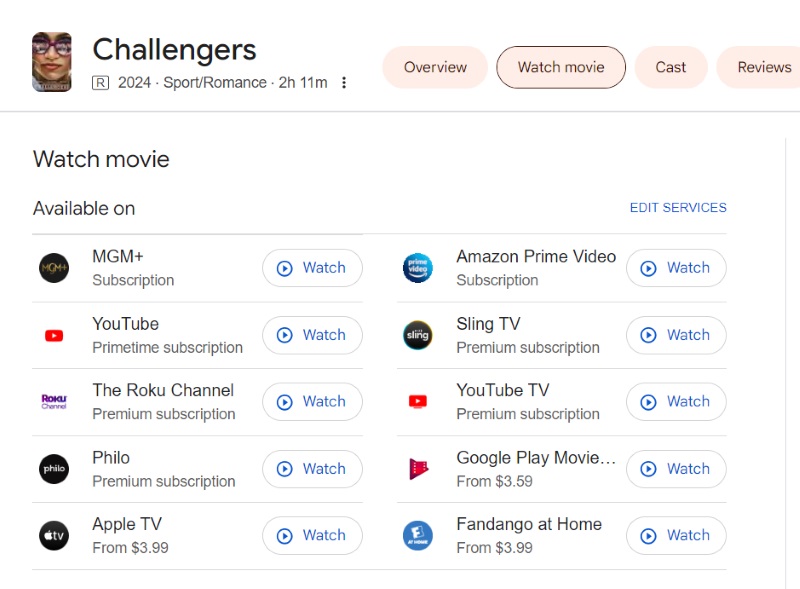
Right now, the Challengers full movie is available on several online platforms. You can download and watch it by subscribing to services like MGM+, Amazon Prime Video, YouTube, or The Roku Channel. If you’re on a tighter budget, you can also rent the movie individually and download it.
Apart from these official streaming services, there are some open-source websites where you might be able to find the movie for free download. We’ll break down all three options below with step-by-step instructions, so feel free to skip ahead to the section that interests you most.
Download Challengers via Subscription (Straightforward Way)
Most streaming platforms now come with their own apps. Within these apps, users can take advantage of the built-in download feature to save their favorite movies for offline viewing. However, this download feature is typically only available to subscribed members. So if you’re already subscribed to one of the platforms mentioned earlier, you can simply use their app to download Challengers directly. This is by far the most straightforward method.
It should be noted that many streaming apps are only available for mobile devices. So if you want to download the movie on your computer or TV, make sure your device is supported. Let’s take Amazon Prime Video as an example and walk through the process of downloading Challengers. The Prime Video app is compatible with iOS, Android, and Windows.
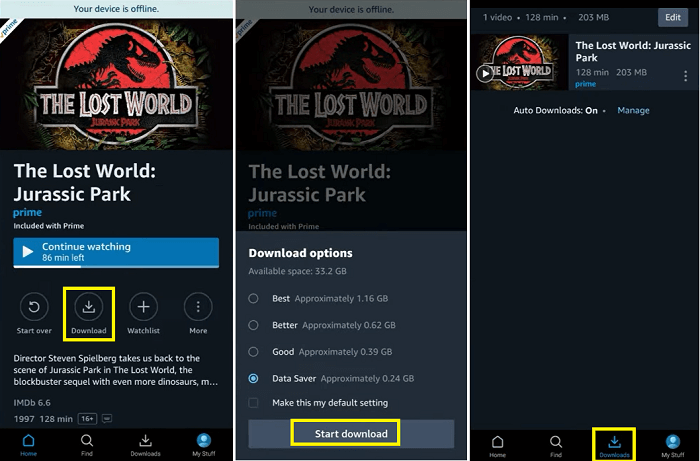
STEP 1. Open the Prime Video app on your device and log into your account.
STEP 2. Search for Challengers.
STEP 3. On the movie’s detail page, tap the “Download” option and choose the download options to start the download.
STEP 4. Once the download is complete, go to the “Downloads” section in the navigation menu to access it.
Download Challengers to MP4 (Permanent Solution)
The first method is great if you already have a subscription. But if you don’t have access to any of the platforms mentioned earlier and just want to download Challengers, we don’t recommend spending a lot of money on a subscription just for one movie. Renting the film is much more affordable. After renting, the steps to download are basically the same as in Method 1. Generally, rented movies remain available in your video library for 30 days.
However, whether you subscribe or rent, the content you download is always protected by DRM, meaning there are viewing restrictions, such as the movie becoming inaccessible after a certain period. If you want a more permanent solution, downloading Challengers as an MP4 file using a third-party tool is probably a better option. This way, you only need to purchase it once and can watch it forever without restrictions, making it a great value.
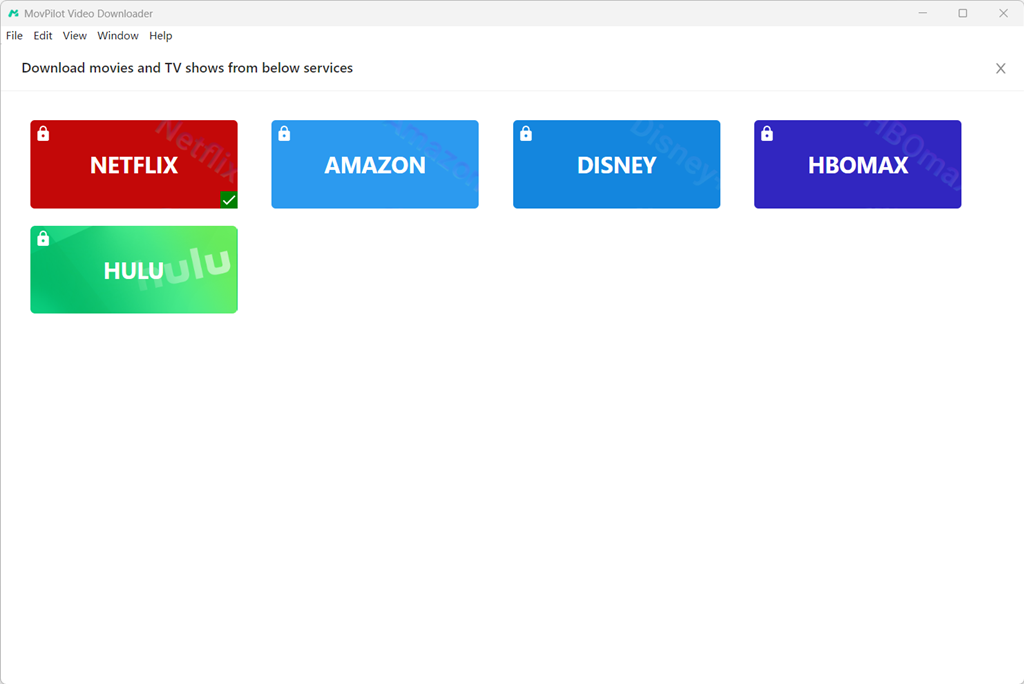
One of the best tools for this is MovPilot All-in-One Video Downloader. It comes with built-in support for major platforms like Amazon Prime, Netflix, Disney+, Hulu, and HBO. That means you only need one program to access videos across multiple services. Besides Challengers, you can also use it to download any other movie, TV show, or series.
MovPilot All-in-One Video Downloader can remove DRM protection and save videos in MP4 or MKV format. With either of these file types, you don’t have to worry about access expiring. Plus, you’ll be able to transfer the downloaded movie to any device for offline playback.
Highlights of MovPilot All-in-One Video Downloader:
- Permanently save movies, shows, and series—no expiration.
- Simple to use, safe, and virus-free.
- Download in up to 1080p resolution and Dolby Atmos audio quality.
- Save videos as MP4 or MKV.
- All-in-one software with a built-in search engine.
Whether you’re using a subscription or renting a single film, MovPilot All-in-One Video Downloader lets you create lasting MP4 copies of the movie. That said, we recommend renting the movie since it’s more cost-effective. Here’s how to do it:
STEP 1. Download and install MovPilot All-in-One Video Downloader on your computer. Launch the software and choose the platform you need—in this case, select “Amazon.”
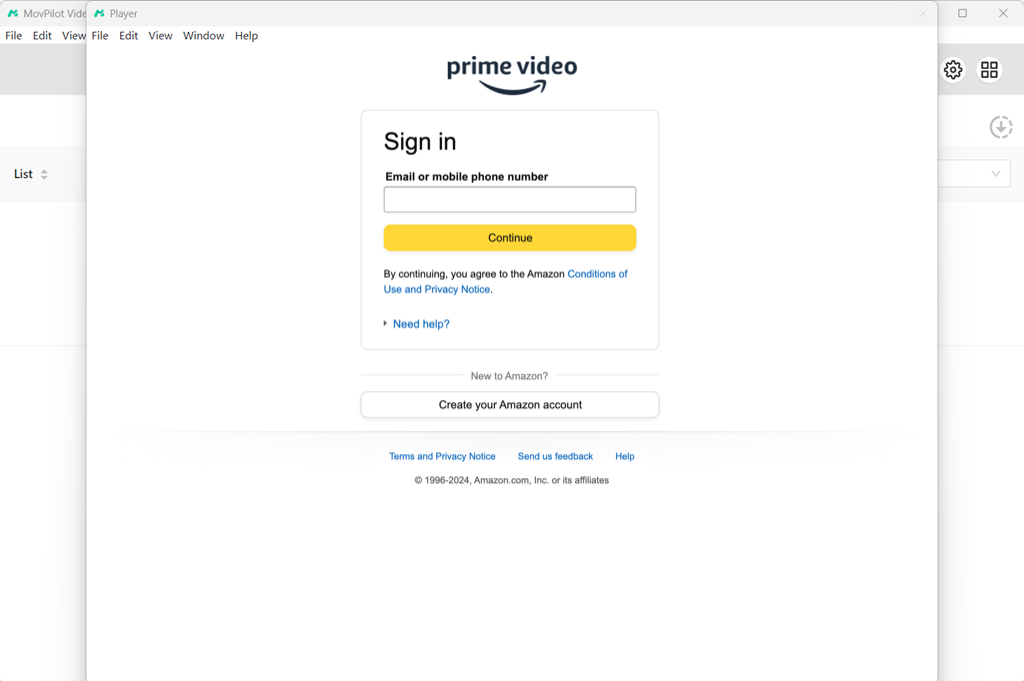
STEP 2. Log into your Amazon account and choose the correct region.
STEP 3. Search for “Challengers”, then click the download icon next to the title to add it to the download list.
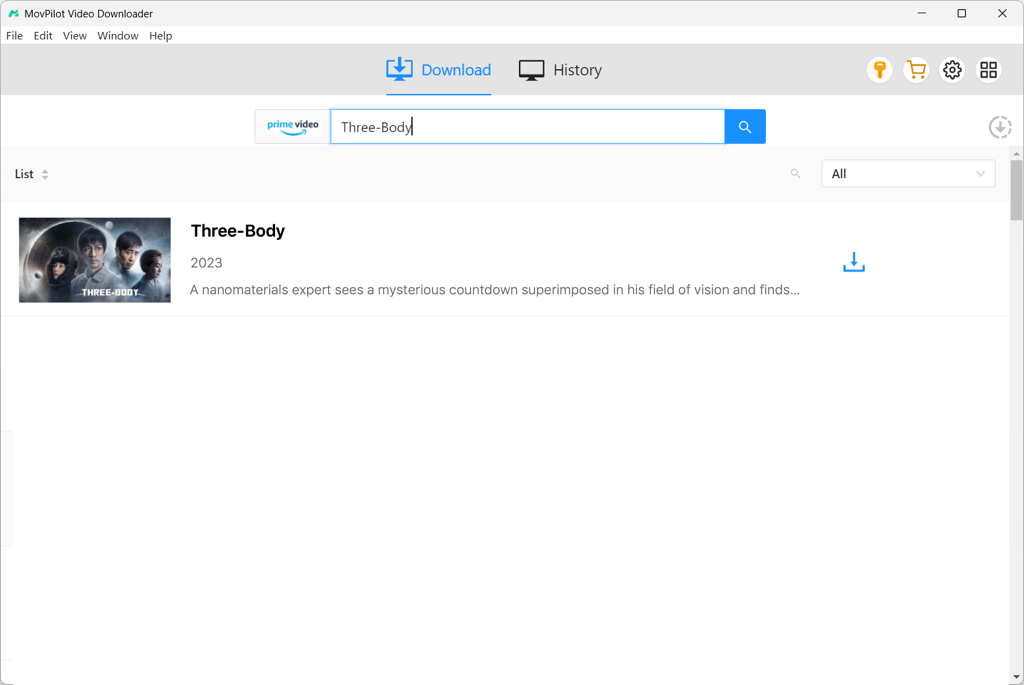
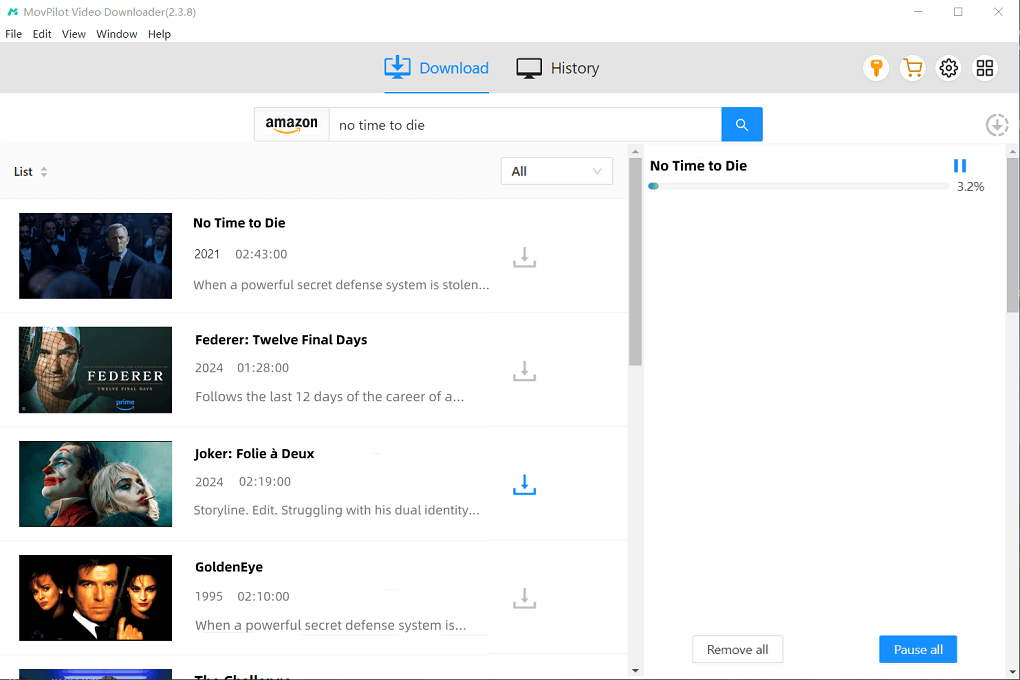
STEP 4. Set your output preferences (format, resolution, etc.), then click “Download” in the bottom-right corner.
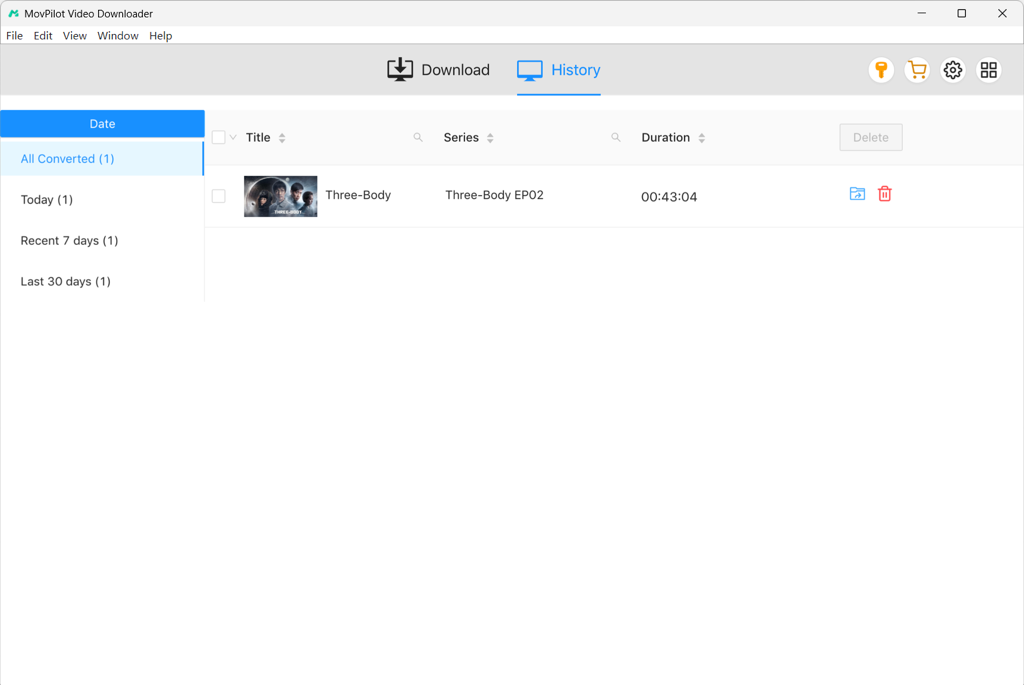
STEP 5. Once finished, go to the “History” section to find your downloaded movie file.
Read Also:
How to Watch and Get The Substance Download [3 Easy Ways]
“Godzilla x Kong: The New Empire” Full Movie Download in HD
Download Challengers Through Mp4Moviez (Free Option)
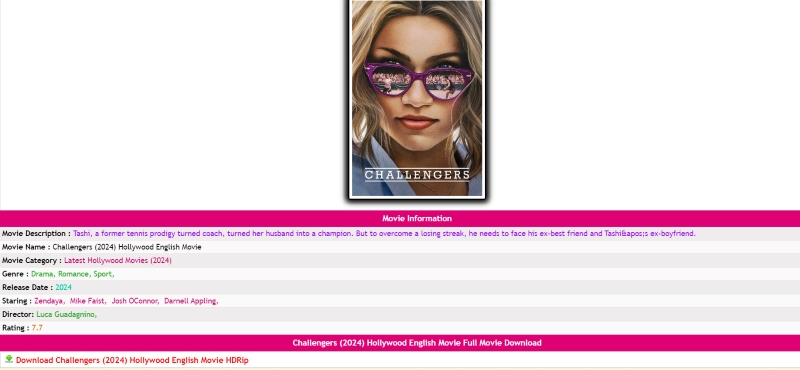
Besides downloading Challengers through official platforms via subscriptions or rentals, there’s also a completely free option—using third-party websites. Mp4Moviez is one such site that hosts a large collection of free movies and TV shows. It offers content in different formats, resolutions, and languages for a global audience. On this site, you can download an HD version of Challengers in both English and Hindi.
However, since Mp4Moviez is a free site, it often redirects to ad pages. Be careful not to click on any suspicious content, as it may lead to viruses or malware. It’s better to use an ad-blocker or antivirus software for extra protection. Here is how to download Challengers from Mp4Moviez:
STEP 1. Open the Mp4Moviez website in your browser.
STEP 2. Type “Challengers” into the search bar in the center of the homepage and click “Search Movies.”
STEP 3. Choose a result from the list and open the detail page.
STEP 4. Click the “Download” button to start downloading.
FAQs About Downloading Challengers
Q1 What are the limitations of downloading Challengers via official streaming apps?
Here are some common limitations:
- DRM protection: Downloaded videos are encrypted and can only be played within the official app. You can’t transfer them to other devices.
- Limited viewing period: Whether you subscribe or rent, there’s usually an expiration date after which the video will no longer be accessible.
- Device compatibility issues: Some platforms don’t support downloads on desktops or TVs, which can be inconvenient for users who want to watch on a big screen.
Q2 Why can’t I download Challengers?
If you can’t find a download option for Challengers in your streaming app, here are a few possible reasons:
- Regional restrictions – The movie may not be available in your country. Try using a VPN to change your IP location.
- Outdated app version – Your app may be missing download functionality if it’s not updated. Make sure you’re using the latest version.
- Not a subscriber / payment incomplete – If you’re using a free account or haven’t completed your purchase, you won’t be able to download the movie on a video streaming app.
If you’re using a tool like MovPilot All-in-One Video Downloader but the download fails, first check your internet connection. If that doesn’t help, try updating the software or reinstalling it.
Conclusion
These three methods cater to different needs and preferences. If you already have a streaming membership, you can directly download within the official app, which is the most straightforward solution. If you’re someone who prefers to keep high-quality movies for long-term viewing or binge-watching, MovPilot All-in-One Video Downloader is your best bet. It allows you to permanently save the movie in MP4 with HD quality.
On the other hand, if you’re looking for a completely free option and don’t mind lower video quality, the free website Mp4Moviez could be a solution. Whichever method suits you best, follow our step-by-step guides and enjoy Challengers in the way that works for you!