






Quick Answer:
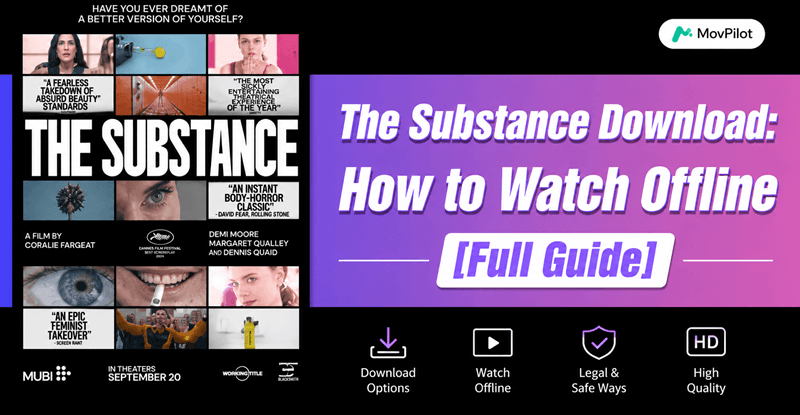
Yes, you can download The Substance for offline watching, but the available method depends on where you watch it.
- Official streaming apps like MUBI, HBO Max, Amazon Prime Video or Apple TV allow offline downloads inside their apps.
- If you want to save The Substance as an MP4 file for permanent playback on any device, you’ll need a video downloader tool.
- Some free online websites also offer downloads, but they may involve security or copyright risks.
This guide explains all available ways step by step.
Many users searching for The Substance download are actually looking for a way to watch the movie offline, save it permanently, or transfer it across devices without streaming restrictions. However, downloading movies from streaming platforms is not always straightforward. Most official services only allow temporary in-app protected downloads, meaning the files cannot be moved or played freely.
In this guide, we’ll walk through the safest and most practical ways to download The Substance, including official offline viewing methods, MP4 download solutions, and free online options.
Read Also:
How to Watch Videos Without Restrcitions
How to Download Challengers Full Movie in HD (3 Proven Ways)
Can You Download the Substance Movie for Offline Viewing?
Yes, you can watch and download The Substance for offline viewing, but the available download options depend on the platform you use. Currently, the movie is available on streaming services like MUBI and HBO Max, while platforms such as Amazon Prime Video, Apple TV, and other VOD rental services also offer rental or purchase options. You can check the table below for further info:
| Platform | Watch Online | Offline Download | Requirements & Limitations |
|---|---|---|---|
| MUBI | Yes | Yes | Requires a paid subscription. Downloads are app-only and DRM-protected. |
| HBO Max | Yes | Yes | Requires an active subscription. Offline viewing is limited within the HBO Max app. |
| Amazon Prime Video | Yes | Yes | Requires renting, purchasing, or a subscription. Downloads expire and cannot be exported. |
| Apple TV | Yes | Yes | Requires direct rental or purchase. Offline viewing is only available inside the Apple TV app. |
| Fandango at Home & Other VOD Platforms | Yes | Limited | Usually requires one-time payment for rental or purchase. Playback restrictions may apply. |
However, most official downloads can only be played inside the corresponding app. In many cases, downloaded files cannot be transferred, copied, or kept permanently after your subscription or rental expires. So, while official platforms do support offline viewing, they mainly provide temporary in-app downloads instead of real local video files. If you want to save it permanently as MP4 or watch it freely across devices, you may need a dedicated movie downloader.
Method 1. Download The Substance via Official Streaming Apps
The most secure and legally compliant method to obtain The Substance download is through authorized streaming platforms. As we said above, services like MUBI, HBO Max, Amazon Prime Video, Apple TV, and Fandango at Home provide users with the option to rent or purchase the film, and in many cases, download it for offline viewing using official apps. This method is ideal for users who value legal access, HD quality, and app-based convenience.
You May Also Like:
How to Download Rented Amazon Prime Movies? [2 Ways]
2 Ways to Download Amazon Movie Purchases to Computer/Mobile
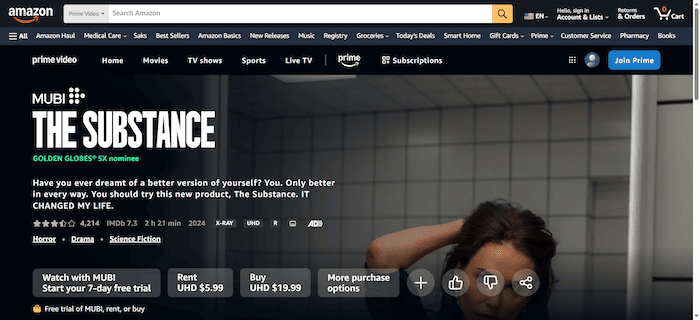
Here’s how to rent and then download The Substance via Amazon Prime Video:
Step 1. Open the Amazon Prime Video app on your device.
Step 2. Search for “The Substance (2024)” using the built-in search function.
Step 3. Choose either “Rent” or “Buy” to access this movie.
Step 4. After completing the transaction, locate the “Download” button (usually available on mobile and tablet versions).
Step 5. Select your preferred video quality (e.g., 720p or 1080p) and download the movie to your device.
While convenient and safe, this method does come with a few limitations:
- Rented content expires within 48 hours after playback begins.
- Downloads are limited to in-app viewing and cannot be exported.
- Files are DRM-protected, meaning you can’t transfer or back them up outside the app.
If you’re looking for a more flexible, long-term solution, such as saving the movie in MP4 format, storing it permanently, or watching it across different devices, keep reading for Method 2.
Method 2. Download The Substance Full Movie as MP4 for Permanent Backup
Unlike streaming platforms that restrict downloaded files to in-app viewing and impose time limits, professional video downloaders offer a more flexible solution. If you’re looking to permanently save The Substance on your device in a transferable format, tools like MovPilot All-in-One Video Downloader are an excellent choice.
MovPilot All-in-One Video Downloader is a powerful and intuitive tool that allows you to download movies and TV shows from popular streaming platforms, including Amazon Prime Video, Netflix, Disney+, Hulu, and HBO Max. Compatible with both Windows and macOS, the software lets you save content in open formats such as MP4 or MKV, preserving original video quality, Dolby 5.1 audio, and multilingual subtitles.
With no ads, no restrictions, and full offline accessibility, MovPilot is ideal for building a personal movie library that you can access anytime, anywhere.
Key Features of MovPilot All-in-One Video Downloader:
- Supports major streaming platforms – Downloads from Amazon, Netflix, Disney+, HBO, Hulu, etc.
- Multiple output formats – Downloads videos as MP4 or MKV, up to 1080p with optional H.265 encoding.
- High-fidelity audio support – Retains Dolby 5.1 surround sound, with bitrates up to 640kbps.
- Multilingual support – Offers multiple audio tracks and subtitles, including hard, soft, or external subtitles.
- Batch and accelerated download – Boosts speed up to 5× with hardware acceleration and batch download support
Follow these steps to get a permanent and high-quality download of The Substance using MovPilot All-in-One Video Downloader:
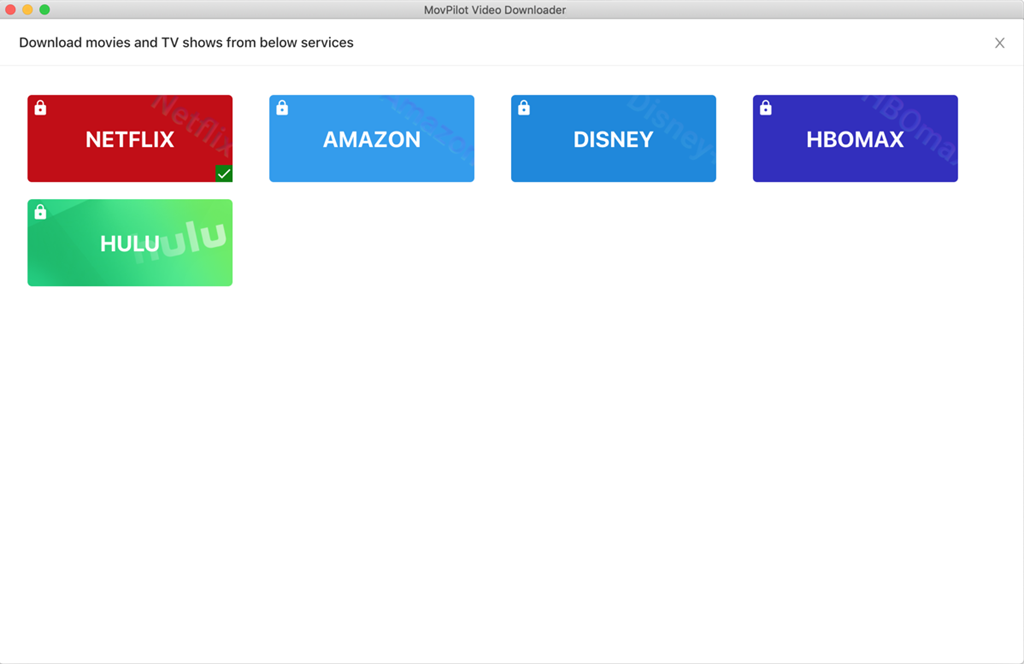
Step 1. Launch the Program and Select Platform
Open MovPilot All-in-One Video Downloader and choose the streaming platform where The Substance is available (e.g., Amazon Prime Video).
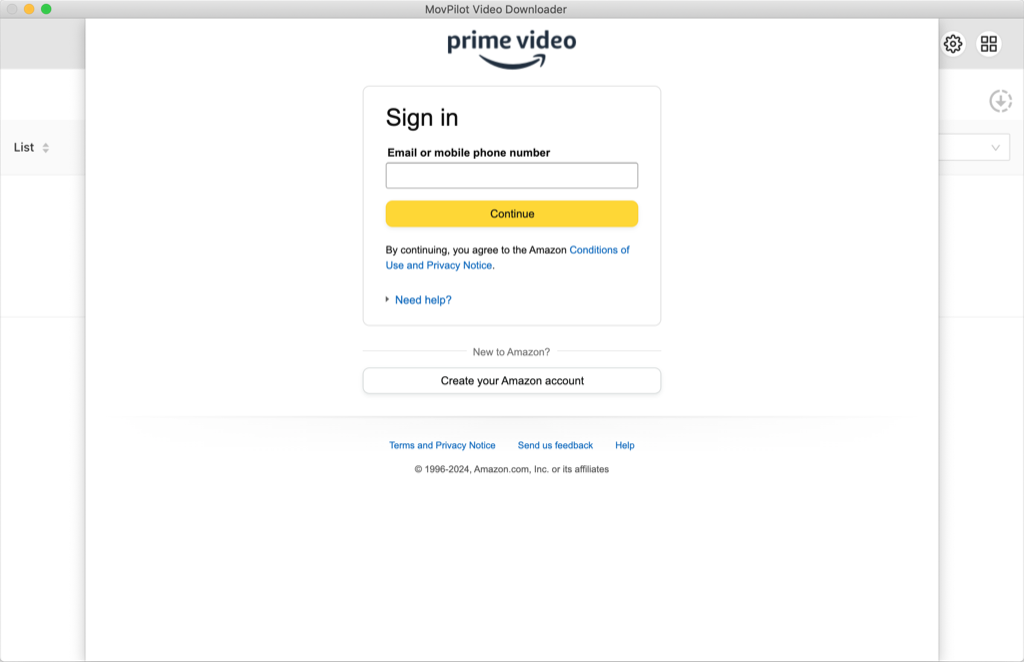
Step 2. Log in to Your Streaming Account
Within MovPilot’s built-in browser, sign in securely using your account credentials for the selected platform.
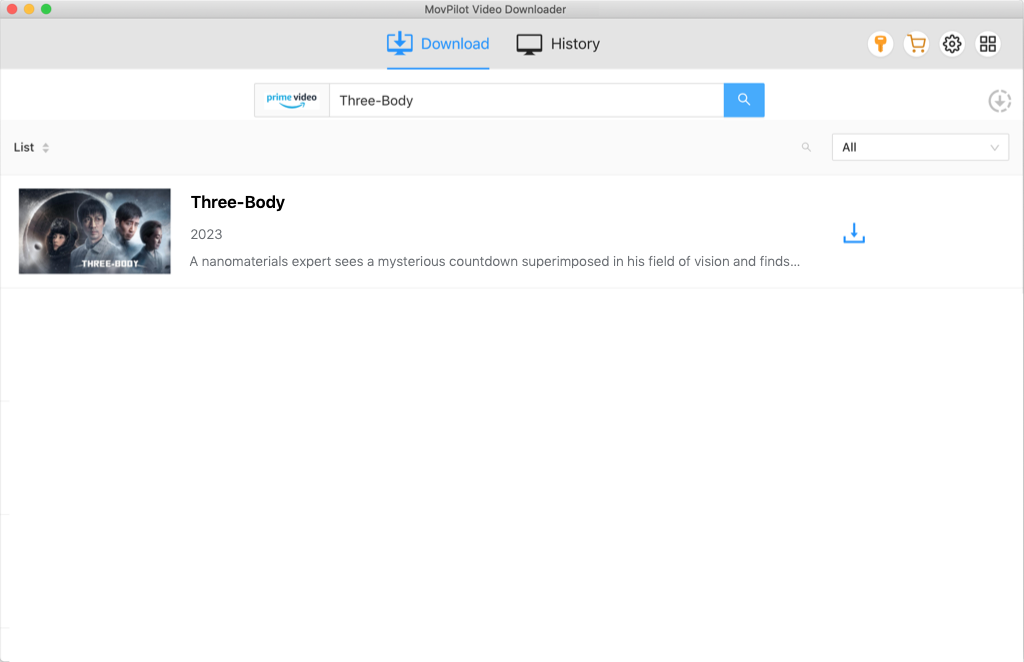
Step 3. Search for the Movie
Use the search bar to enter “The Substance” or paste the direct URL of the movie into the input field.
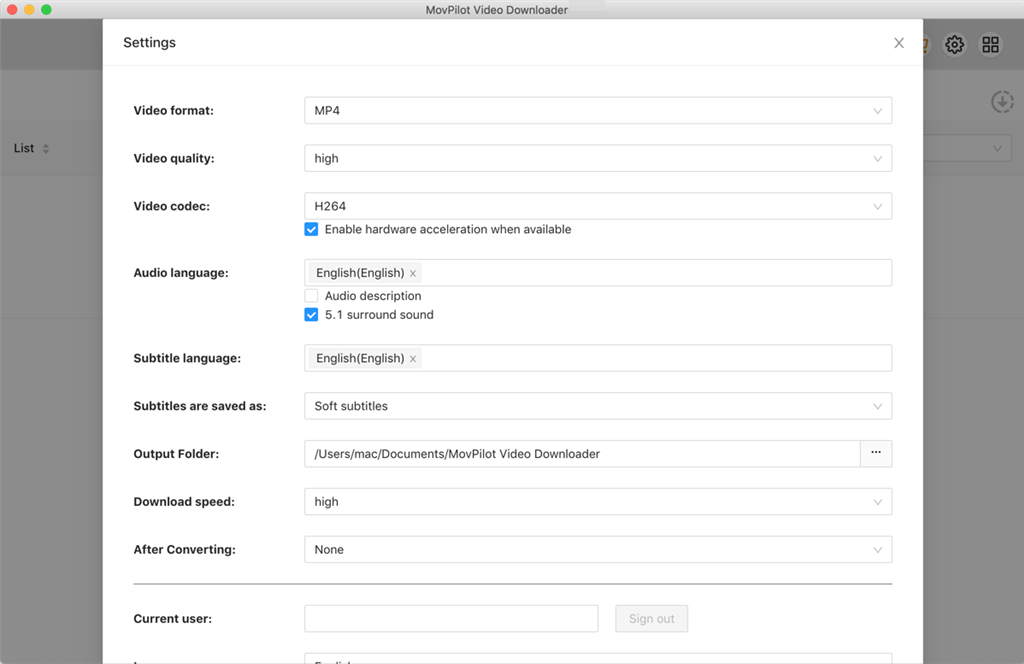
Step 4. Customize Output Settings
Select your preferred video resolution (up to 1080p), audio language, subtitle type (soft, hard, or external), and output format (MP4 or MKV). You can also enable H.265 encoding for efficient file size and quality balance.
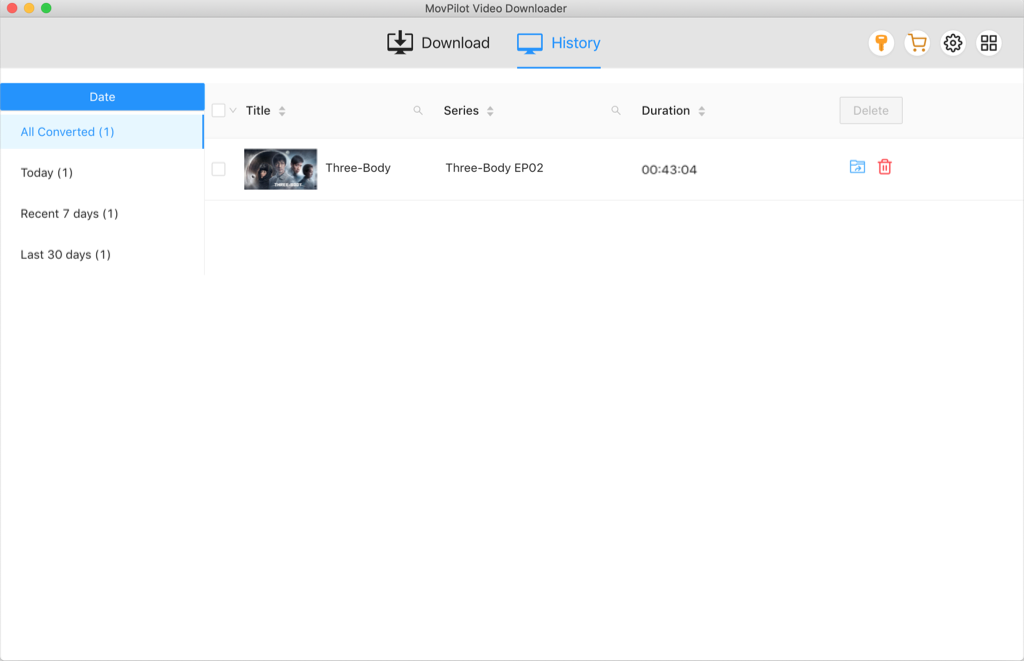
Step 5. Start Downloading
Click the Download button. And the movie will be saved locally on your computer, so you can watch it offline anytime, without expiration or platform restrictions.
Method 3. Get The Substance Download Using Online Websites
Some third-party websites claim to offer free streaming or direct download access to The Substance without requiring a paid subscription. These platforms may provide HD playback and downloadable video files, which can seem convenient for users looking for quick offline access.
However, many of these websites operate from unclear or unofficial sources, so they are generally not recommended. Some sites may contain intrusive pop-up ads, fake download buttons, tracking scripts, bundled software, or phishing risks that could expose your personal information or affect device security. In addition, video quality, subtitles, and playback stability are often inconsistent.
To protect your privacy and device safety, avoid entering sensitive information such as your personal email, payment details, or primary passwords on these websites. Using antivirus protection, an ad blocker, or a VPN may also help reduce potential risks. If you still decide to use this type of website, the general process usually works like this:
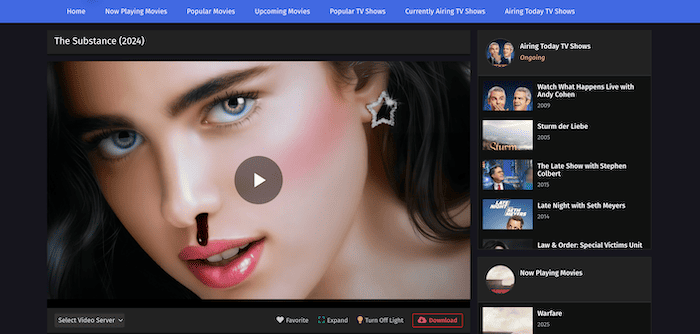
Step 1. Go to a third-party movie streaming or download website like aaamiiin.com.
Step 2. Register for a free account and log in.
Step 3. Search for The Substance and go directly to its movie page.
Step 4. Click the “Download” button for offline access.
Step 5. Follow the on-screen instructions to complete the download, then watch it from your device.
FAQs About the Substance Download
Is it legal to download The Substance for personal use?
Yes, but only if done through authorized sources. You can legally download The Substance via official platforms like Amazon Prime Video or Apple TV, or by using licensed tools such as MovPilot All-in-One Video Downloader.
Downloading from unofficial websites may violate copyright laws, depending on your region, and should be approached with caution. Regardless of method, downloads must be for personal, non-commercial use only.
Which devices can I use to watch the downloaded movie?
Downloads from official streaming apps are usually limited to mobile or tablet devices and must be accessed within the app itself. In contrast, using MovPilot All-in-One Video Downloader allows you to save The Substance as an MP4 or MKV file, which can be played on any device, including laptops, TVs, smartphones, tablets, and even USB drives, without app restrictions or expiration limits.
Is the downloaded version the full movie or a censored/cut version?
Yes, if you download Venom: The Last Dance from official platforms like Netflix or Amazon, or through tools like MovPilot, you’ll get the full theatrical version of the film. These sources provide the uncut, original release, including all scenes, credits, and bonus content. Always make sure you’re using a trusted platform to avoid edited or unofficial copies.
Final Words
In this guide, we explored 3 main ways to get The Substance download: watching it directly on official streaming platforms, downloading it via trusted tools like MovPilot for permanent offline access, and using free online websites with certain risks. Each method offers different levels of convenience, quality, and legality.
If you’re looking for the best mix of flexibility, high-resolution playback, and long-term ownership, MovPilot All-in-One Video Downloader is the clear winner. It lets you download The Substance in full quality, store it locally in open formats, and watch it anytime, anywhere. Ready to keep The Substance forever and enjoy it without limits? Try MovPilot now!