






Dune: Part Two is the highly anticipated sequel to Denis Villeneuve’s sci-fi masterpiece, continuing Paul Atreides’ journey with breathtaking visuals, gripping drama, and epic battles. Fans worldwide are eager to experience this cinematic spectacle, and luckily, it’s available on major streaming platforms like Hulu, Prime Video, Netflix, Apple TV, and YouTube for rent or purchase.
But what if you want to watch it offline or save a copy for later? Whether you’re traveling, have limited internet, or just prefer having your favorite movies on hand, downloading is a great option. Below, we’ll explore three simple methods to download Dune: Part Two safely, so you can enjoy it anytime, anywhere. Let’s get started!
Read Also:
How to Get Bad Boys: Ride or Die Movie Download [Updated]
The Ultimate Guide to Terrifier 3 Full Movie Download
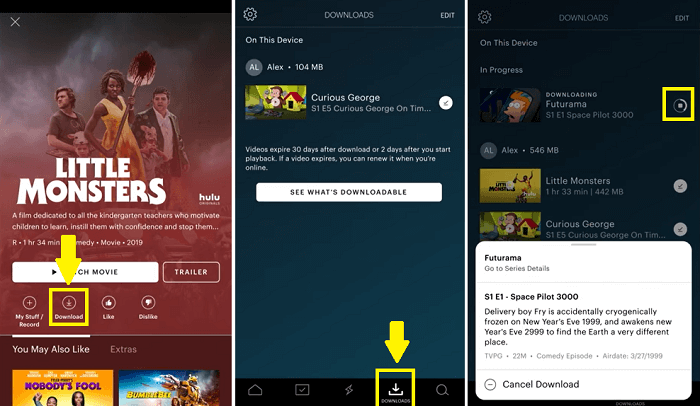
Method 1: Download Dune Part Two on the Hulu Mobile App
If you’re a Hulu subscriber, you’re in luck! The platform offers a convenient download feature for offline viewing—perfect for watching Dune: Part Two on the go. Here’s how to do it on the Hulu Mobile app:
Step 1. Open your Hulu app on your mobile phone and connect to Wi-Fi or enable cellular downloads.
Step 2. Click the “Search” icon and tap to select “Downloadable” from the list. Then choose the “Movies” option to find the Dune: Part Two movie.
Step 3. Click the Download button on the details page to get started. After downloading, you can access the downloaded content anytime via the “Downloads” tab.
Method 2: Download Dune Part Two on YouTube (PC/Phone)
If Hulu isn’t your preferred platform, you can also download Dune: Part Two through YouTube. As one of the largest digital video platforms, YouTube offers both rental and purchase options for new releases, making it another convenient way to watch the film offline. Below, we’ll walk through how to buy and download the movie on either your PC or mobile device.
Step 1. Sign in to your YouTube Premium account at youtube.com on your PC device.
Step 2. Navigate to Dune Part Two’s watch page and tap it to go to the details page.
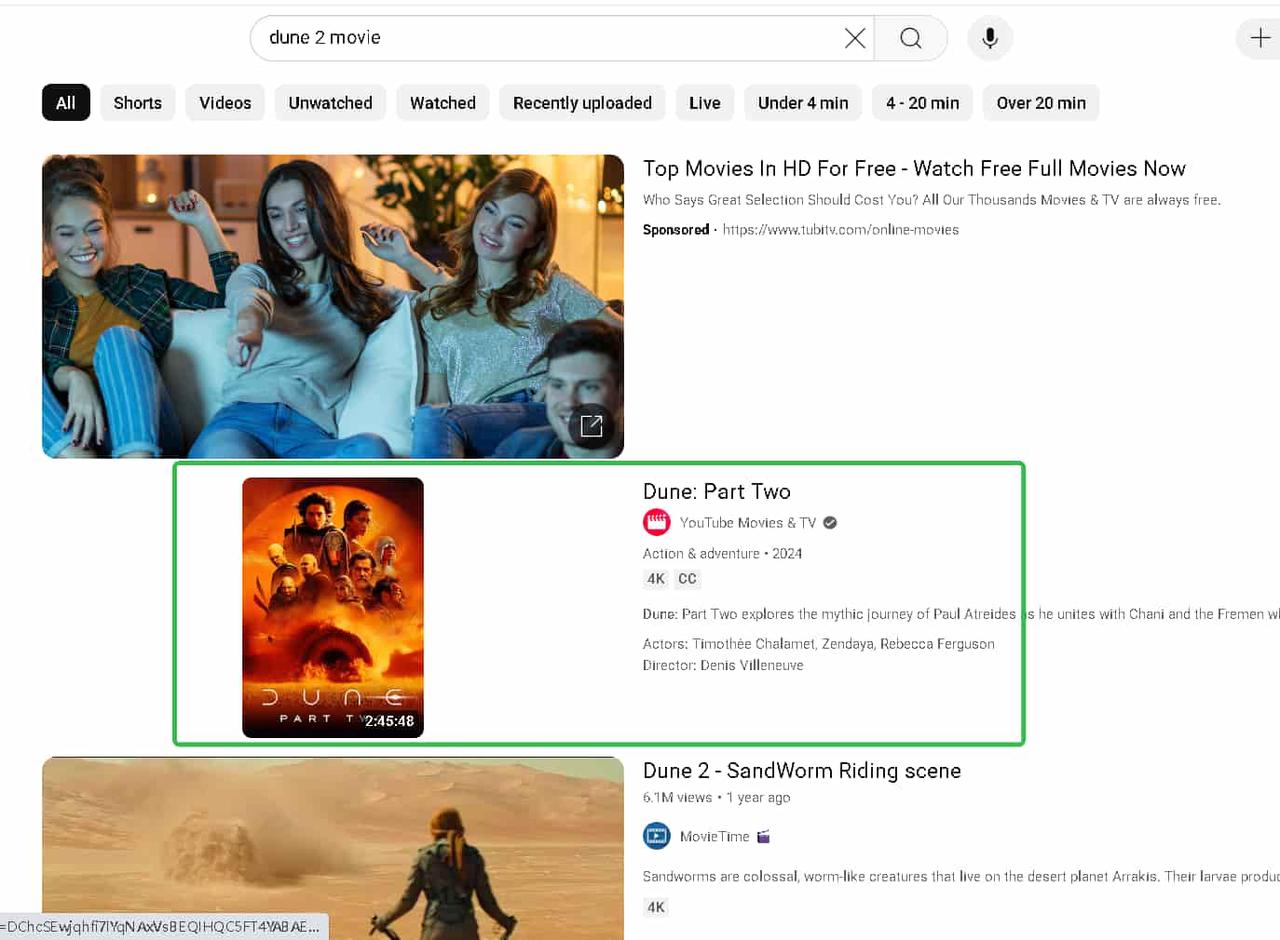
Step 3. Click the “Download” button below the video player. Then wait for completion (the icon will turn black when finished).
Method 3: Download Dune Part Two Full Movie to MP4 (Windows/Mac)
While streaming platforms offer download options, they come with limitations: downloads often expire after 48 hours and have restricted playback counts. For true freedom to watch Dune Part Two anytime, anywhere, a professional streaming video downloader provides the perfect solution.
The MovPilot All-in-One Video Downloader lets you permanently save movies in MP4/MKV format from all major platforms, including Netflix, Prime Video, Hulu, and YouTube. This powerful tool supports batch downloading and converts videos to universal formats that play on any device, without time restrictions or platform lock-ins.
Whether you want to build a personal movie library or watch offline during travel, this method gives you complete control over your Dune Part Two viewing experience.
More Features of MovPilot All-in-One Video Downloader:
- HD Quality: Download movies in Full HD 1080p or HD 720p with crisp clarity.
- Multiple Formats: Save as MP4/MKV files for universal playback on any device.
- Keep Subtitles & Audio: Preserve multi-language subtitles and 5.1 surround sound.
- Batch Downloads: Download entire seasons or multiple videos at once, 5X faster.
- No Expiry: Watch offline forever. No 48-hour limits like streaming apps.
Now let’s see how to download Dune Part Two on Netflix into MP4 format with this professional video downloader.
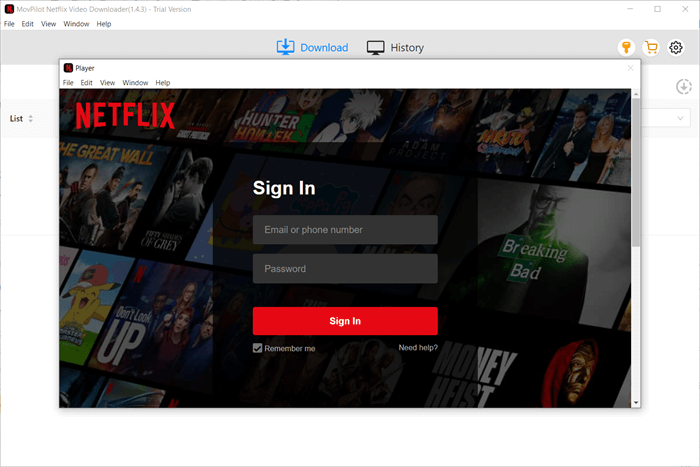
Step 1: Launch MovPilot & Select Netflix
Open MovPilot software and choose the Netflix option from the main interface. Log in with your Netflix account when prompted.
Step 2: Search for Dune: Part TwoType “Dune: Part Two” in the built-in search bar—no need to manually copy URLs. The movie will appear instantly.
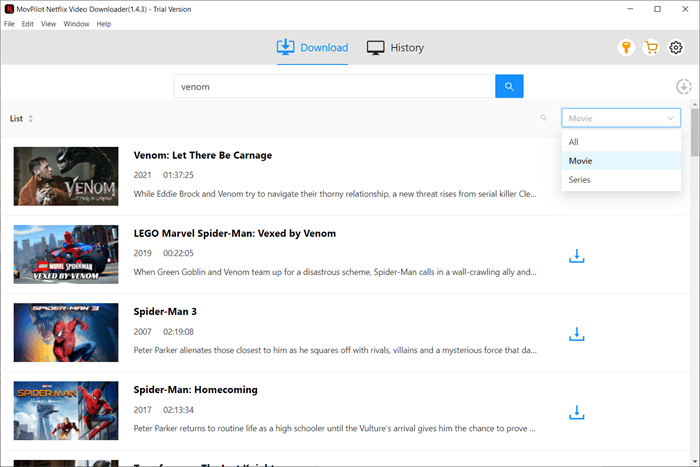
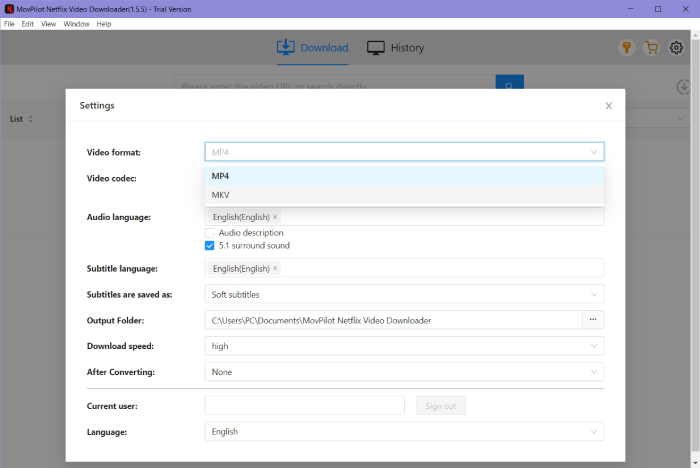
Step 3: Adjust Output Settings
On the details page, you can set video quality to 1080p HD, choose MP4/MKV format and select preferred audio/subtitle languages as you like.
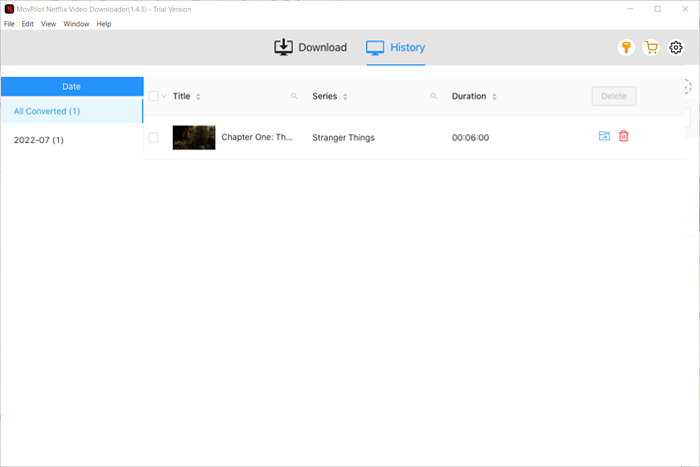
Step 4: Download the MovieClick the download icon next to the title, confirm your selection, and let MovPilot save it at 5X faster speeds. Track progress in real-time. Once completed, find the downloaded file under “History” or your designated folder. Watch Dune: Part Two offline anytime, anywhere with no expiration or restrictions!
Can You Watch Dune Part Two Online Free?
Yes! You can watch Dune: Part Two online for free on platforms like Dailymotion, Tubi, or Crackle—simply visit their websites, search for the movie, and start streaming instantly. While these free options provide quick access without payment, they do come with lower quality (often 480p) and occasional ad interruptions.
For better quality and reliability, consider official platforms like MovPilot. You can download the movie in MP4 format and immerse yourself in the movie forever.
Conclusion
This guide explored three methods to download Dune: Part Two, including streaming platforms like Hulu and YouTube, as well as using a workable video downloading tool.
For the best experience, MovPilot All-in-One Video Downloader is the top choice—letting you download the movie in full HD 1080p, with subtitles and no expiration. Whether for travel or offline viewing, it’s the easiest way to enjoy Dune: Part Two full movie downloads anytime. Download now and watch without limits!
MovPilot All-in-One Video Downloader
Download videos from streaming services to be played on any device without limits.