






The 2007 release of Transformers One has created a highly imaginative sci-fi world with its special effects, storyline, and character development, which make it a key part of many people’s childhood memories. If you want to relive the thrilling battles between the Autobots and Decepticons during a boring, long-haul flight or enjoy classic scenes of Optimus Prime without buffering issues, downloading Transformers One for offline viewing is a great option.
In this article, we’ve prepared three ways for you to download Transformers One. Each method includes clear step-by-step instructions, so even if you’re not tech-savvy, you’ll be able to follow along easily. Now, let’s dive into how you can start downloading Transformers One right away!
You May Also Like:
Where to Download Movies and TV Shows in MP4: Best Site & Tool
Download Transformers one through Streaming Apps
Transformers One is available on many platforms like Amazon Prime Video, Paramount+, YouTube, and Google Play Movies. If you have a subscription on one of these platforms, you can download the movie directly through their app. This is the fastest and easiest method. Even without a subscription, you can still rent or purchase the film individually and download it for offline viewing.
Let’s take Paramount+ as an example to walk you through the steps:
STEP 1. Ensure that you have the Paramount+ with Showtime subscription. Then, launch the Paroumount+ app on your mobile device and sign in.
STEP 2. Browse the available download videos and choose “Transformers One”.
STEP 3. Locate the “Download” icon next to the movie description and tap it to start downloading
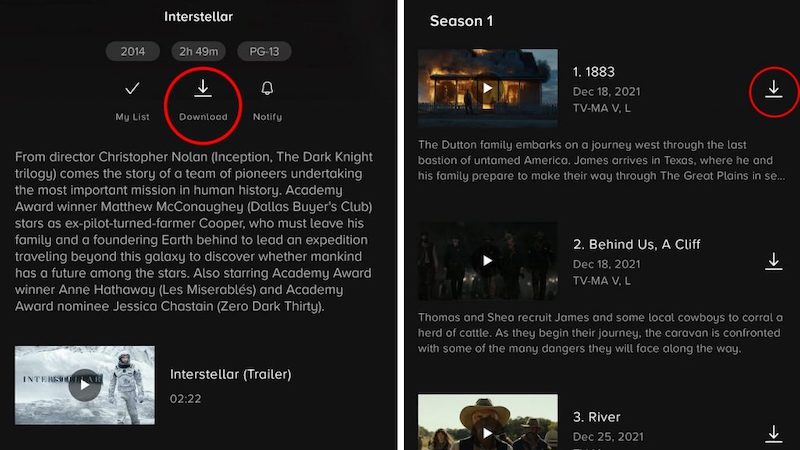
STEP 4. When progress is complete, simply tap the “More” button and choose “Downloads” to start streaming your show or movie.
Note:
Whether you’re using Paramount+, Amazon, YouTube, or any other streaming platform, make sure your subscription is active if you plan to download Transformers One or other content. Also, ensure that the region you’re traveling to supports downloading via the platform, otherwise, your downloaded movie might expire or become unavailable.
Additionally, some platforms like Paramount+ only support downloads on specific devices, such as iPhones/iPads (iOS 16+) and Android phones/tablets (Android 5+), so make sure your device is compatible before attempting to download.
Download Transformers One to MP4 with Downloader
If you’ve tried the first method to download Transformers One, you might find that while it’s straightforward, it comes with several limitations. For example, you can only watch the movie within the streaming app, you can’t transfer the downloaded file to other devices, and once your subscription expires, the downloaded content becomes inaccessible.
While these restrictions exist because streaming platforms apply DRM protection to their downloaded files, constantly having to redownload content can be frustrating and inconvenient. If you’re looking for a one-and-done solution, you can try the second method we recommend: using a third-party tool to bypass DRM and download Transformers One as an MP4 file. This allows you to watch the movie freely and transfer it to tablets or larger screens without limitations.
One reliable tool for this is MovPilot All-in-One Video Downloader. Whether you have a paid streaming subscription or not, this software lets you download any movie, TV show, or series in MP4 or MKV. With these formats, you can save the file permanently. MovPilot is an all-in-one solution that comes with built-in web browsers for platforms like Amazon Prime, Netflix, Disney Plus, Hulu, HBO, and more. You can search for the content you want directly inside the program without needing to install any additional streaming apps.
Highlights of MovPilot All-in-One Video Downloader:
- Download any OTT/streaming video in high quality
- All-in-one software with built-in access to multiple platforms
- Save your favorite videos permanently in MP4/MKV format
- User-friendly interface, fast download speed, 100% safe
- Support for multiple audio tracks and subtitle options
Here’s how to Download Transformers One with MovPilot All-in-One Video Downloader:
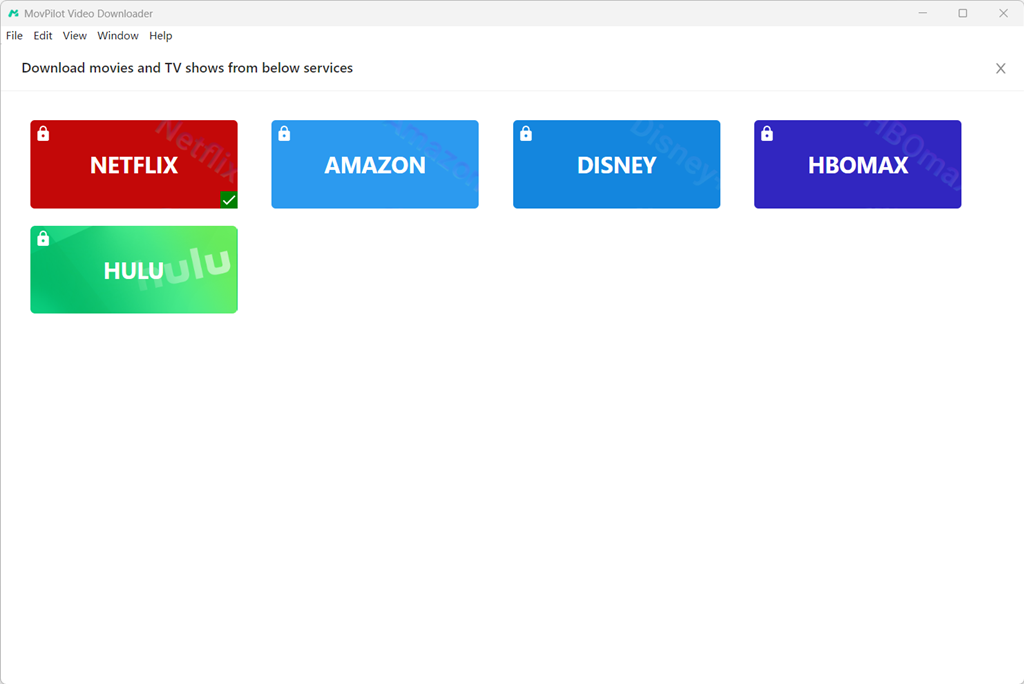
Step 1. Download and install MovPilot All-in-One Video Downloader on your computer. Launch the software and choose the Paramount+ service on the home screen.
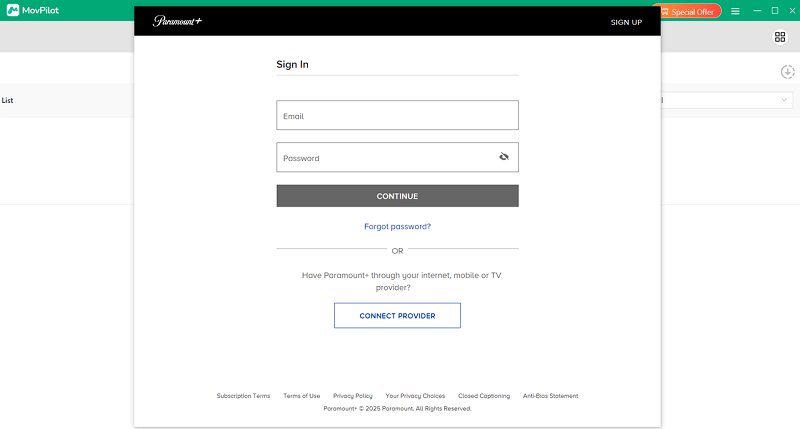
Step 2. Log in to your Paramount+ account and search for “Transformers One.” Click the “Download” icon next to the movie.
Step 3. In the pop-up window, click the “Gear” icon next to “Duration” to set video quality, audio track, and subtitles.
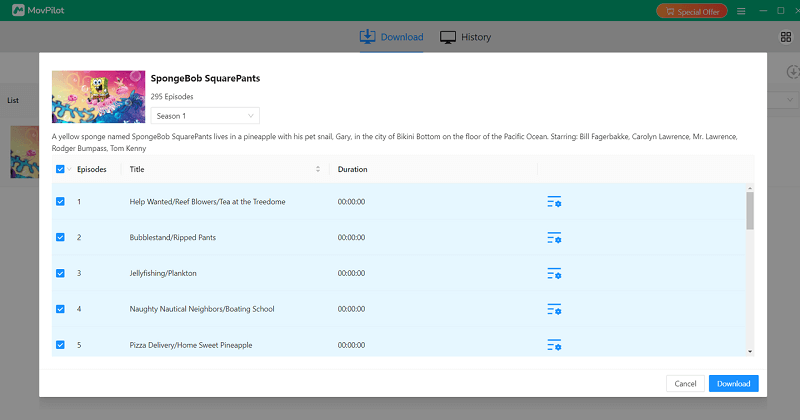
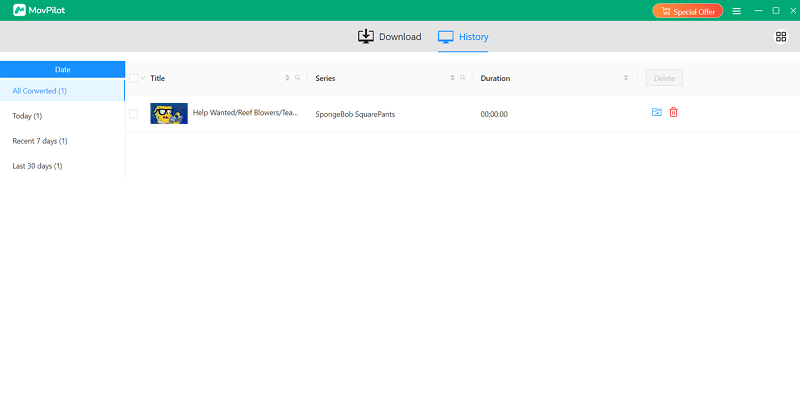
Step 4. Click the “Download” button at the bottom right to start downloading. Once the download is complete, click the “History” section at the top to access your downloaded files.
Read Also:
How to Download The Walking Dead Season 1-11 English 1080P
How to Download The Rising of The Shield Hero All Seasons
Download Transformers One via Free Source
If your subscription has expired and you don’t want to renew it, or you’re on a tight budget, you can try downloading Transformers One for free using mp4moviez. This website offers free downloads of movies and TV shows in multiple formats and resolutions, and supports many languages, from English and Hindi to regional ones like Tamil, Telugu, and Punjabi.
When you search for Transformers One, you’ll find both the original version and Hindi-dubbed results. The website has a simple layout: you can search for any content using the search bar or browse by category. However, please be aware that the site contains ads, so be cautious while clicking around.
Here’s how to use mp4moviez to download Transformers One:
Step 1. Open the website in your browser.
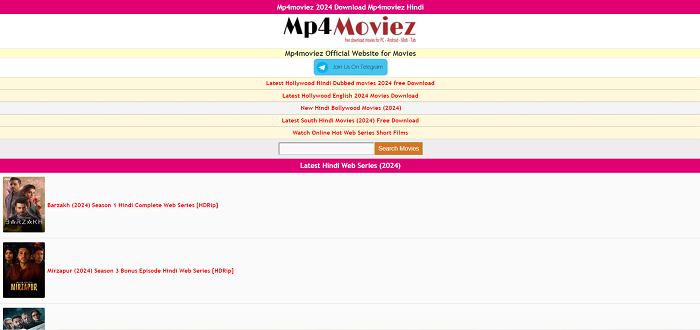
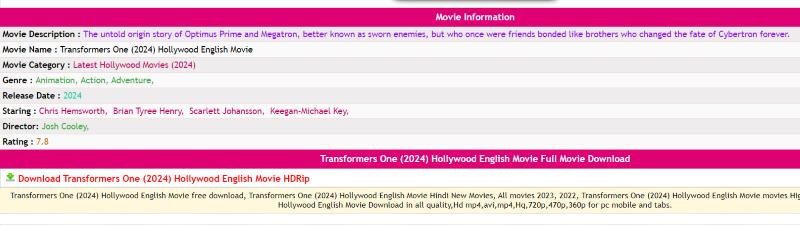
Step 2. Type “Transformers One” into the search bar.Step 3. Choose your preferred version. Scroll down on the movie detail page and click the “Download” button to begin downloading.
FAQs about downloading Transformers One
Q1. Why can’t I find the download button for Transformers One in my streaming app?
There could be several reasons why the download button is missing:
- The version of your streaming app might be outdated, and older versions may no longer support the download feature. Try updating the app to the latest version and check again.
- The movie may not be available for download in your current region. In this case, you can try using a VPN to change your IP address or use a downloader like MovPilot All-in-One Video Downloader to bypass this limitation.
Q2. How long will Transformers One stay in my download library?
Typically, streaming apps allow you to keep downloaded videos for 30 days. After that, the video will be automatically removed from your download library. If you downloaded the movie through a rental, the availability period is usually shorter and depends on the platform’s policy.
However, if you download Transformers One using MovPilot All-in-One Video Downloader and save it as an MP4 file, you can keep the video forever, unless you delete it manually.
Q3. Where can I watch Transformers One?
You can watch Transformers One online on some free websites like the Internet Archive. However, these platforms usually offer lower video quality and limited customization options. If you’re okay with a basic viewing experience, you can simply search for the movie in your browser. That said, please be cautious that some of these sites may contain pop-up ads or even malicious content. Always make sure you’re opening links from safe sources.
Conclusion
In this article, we introduced three different ways to get the Transformers One full movie download. If you have a subscription, the easiest way is to directly from a streaming app. If you want to keep the movie permanently, using MovPilot All-in-One Video Downloader to save it as an MP4 file is a great option. And if you’re looking for a budget-friendly plan, you can try downloading it from free websites.
Each method comes with its own pros and cons, so the best choice is the one that suits your needs. We hope this guide has been helpful and makes your movie-watching experience more enjoyable!