






If you’re a fan of sci-fi horror films, then the name Alien: Romulus must sound familiar to you. It has captured the attention of sci-fi and horror fans since its release, quickly sparking widespread buzz around the globe. Since you’ve opened this article, you’re probably looking for ways to download this thrilling movie and rewatch it a few times whenever you’re bored.
No worries, we’ll introduce three safe and reliable methods for downloading Alien: Romulus in this article. Just take a few minutes to see if one of them meets your needs.
Du kanske också gillar:
How Can I Download Alien: Romulus
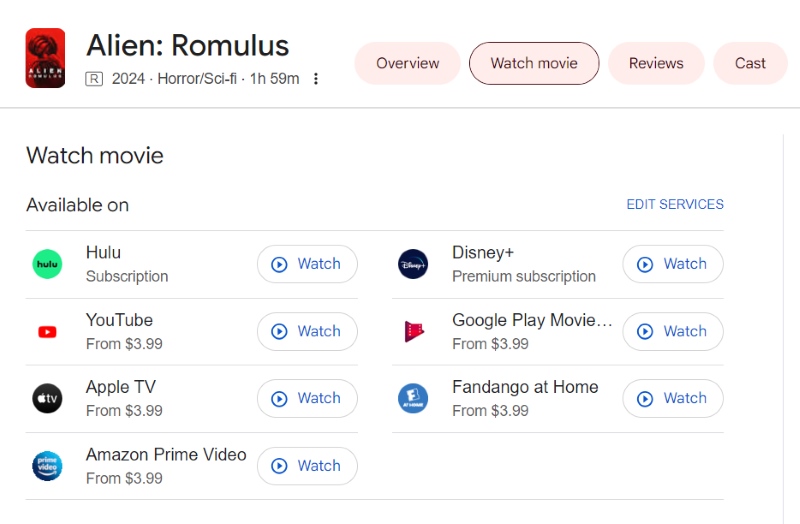
To download Alien: Romulus, there are three common ways. The first is through official mainstream streaming platforms via subscriptions, rentals, or purchases. Currently, Alien: Romulus is available on platforms like Hulu, Disney+, YouTube, and Amazon Prime Video.
The second method involves using professional third-party tools to bypass the DRM and save the video as an MP4 file. The last method is to obtain downloaded resources through some free websites. Below, we’ll go over each of these methods in more detail.
Method 1: Download Alien: Romulus from Streaming Apps
The first and most straightforward method is to download Alien: Romulus directly from official mainstream media platforms. If you have a subscription to services like Hulu or Disney+, you can simply log into your account via the app and use the built-in download feature. This method is safe and convenient. You don’t need to download any additional software or search around for download sources.
However, this solution isn’t perfect. To protect copyright, most mainstream platforms encrypt their video content, which means any film you download, including Alien: Romulus, can only be played within the streaming app itself.
In addition, playback is often limited by time. If your subscription expires or you cancel it, you’ll lose access to the downloaded content. So, for users who want permanent viewing rights, the official method might come with a significant cost.
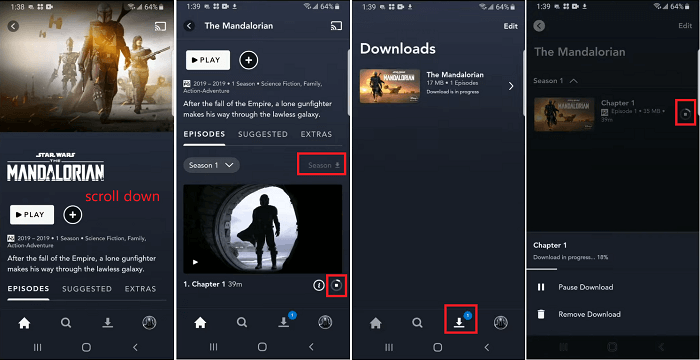
Let’s take Disney+ as an example to show you how to download Alien: Romulus within the app:
STEG 1. Open the Disney+ app on your phone or tablet.
STEG 2. Type “Alien: Romulus” into the search bar and look it up.
STEG 3. On the movie’s detail page, click the “Download” button next to the play button to start downloading.
STEG 4. Once the download is complete, you can find the movie in the “Downloads” section.
Läs också:
How to Get Venom: The Last Dance Download [Legal & Easy]
How to Download Smile 2 Movie (3 Ways)
Method 2: Download Alien: Romulus Using MovPilot All-in-One Video Downloader
Since the official download of Alien: Romulus expires after a certain period and is restricted to specific apps and devices, is there another way to bypass these limitations? The answer is yes. You can use third-party download tools to save Alien: Romulus as an MP4 file.
MovPilot allt-i-ett-videonedladdningsverktyg is one of the most reliable programs specifically designed for downloading streaming videos. Its biggest highlight is the ability to save downloaded movies and TV shows permanently, with no limits on playback time, device, or number of views.
Even if the content you want to watch is scattered across different platforms, that’s not a problem. MovPilot All-in-One Video Downloader has built-in browser support for platforms like Amazon Prime, Netflix, Disney Plus, Hulu, and HBO. Therefore, whether you want to download movies rented from Amazon or Disney+ subscription videos, MovPilot All-in-One Video Downloader makes it easy to get the job done in simple clicks.
MovPilot All-in-One Video Downloader supports both MP4 and MKV formats. To enhance your viewing experience, it offers high resolution up to 1080p and Dolby Digital 5.1 surround sound.
Some additional highlights of MovPilot All-in-One Video Downloader include:
- Download speeds over 5X faster than official streaming apps.
- Optional H.265 encoding for better quality.
- Preserve metadata of downloaded videos.
- Support for multiple language audio tracks and subtitles.
Here’s how to use MovPilot All-in-One Video Downloader to download Alien: Romulus from Disney+:
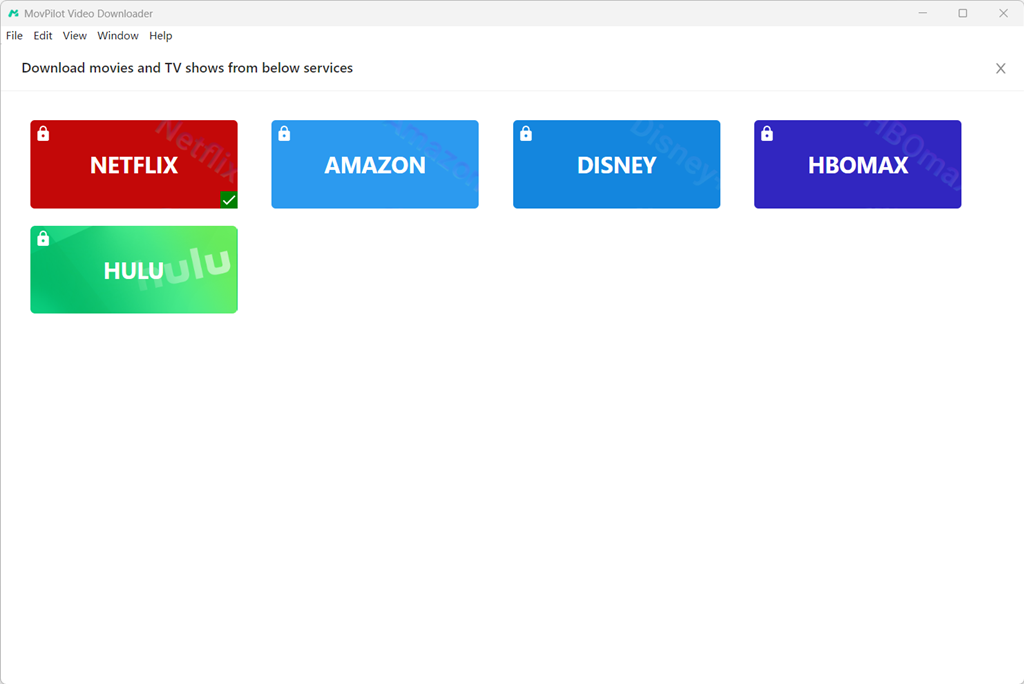
STEG 1. Download and install MovPilot All-in-One Video Downloader on your computer. Launch the software and select “Disney” on the home screen.
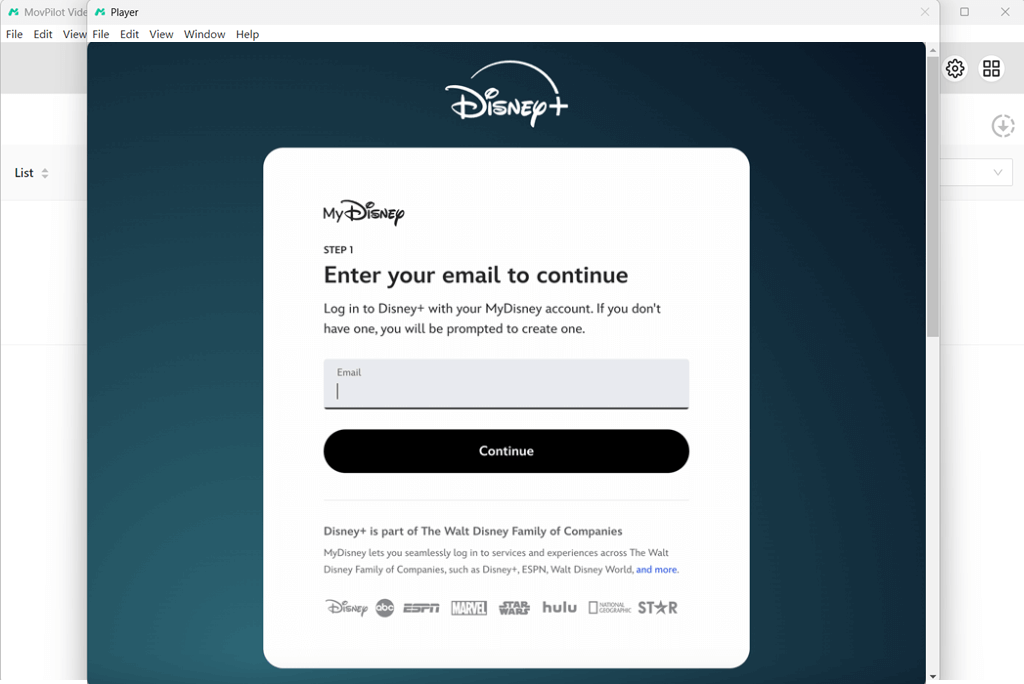
STEG 2. Log in to your Disney+ account.
STEG 3. Enter “Alien: Romulus” into the search bar. Click the “Download” button to add the result to your download list.
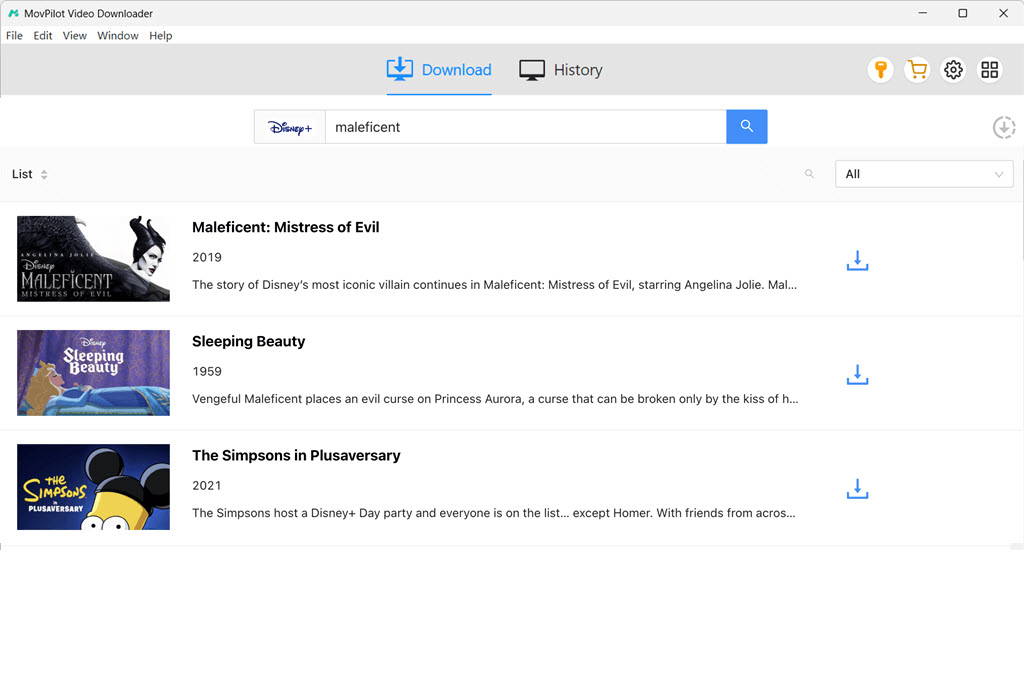
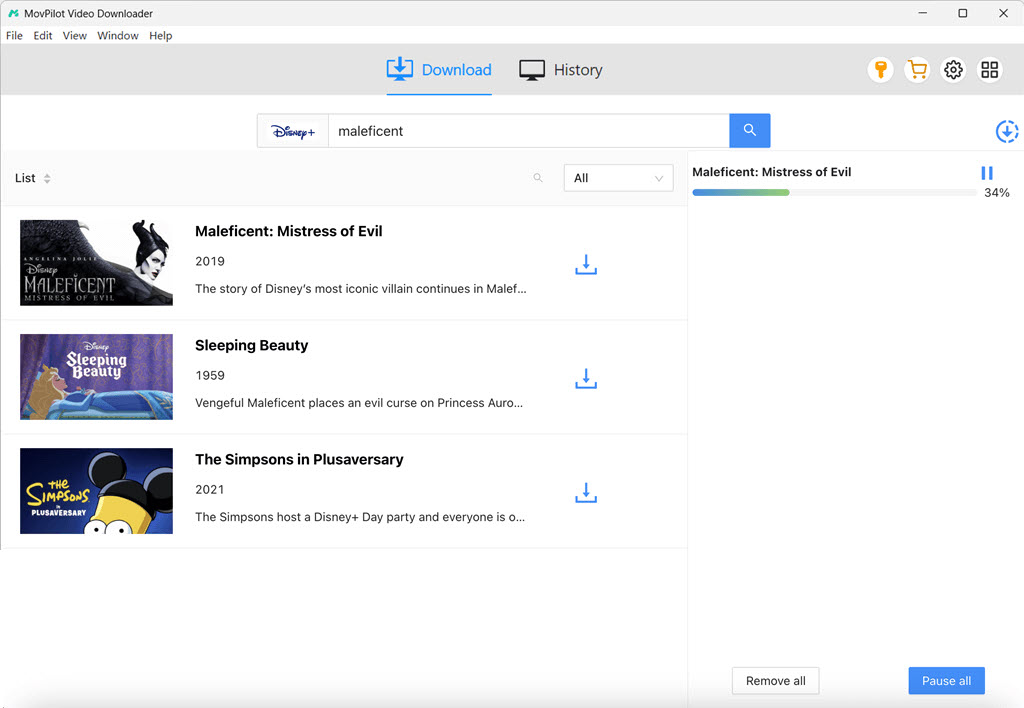
STEG 4. Customize your output format, then click the “Download” button in the lower right corner to begin.
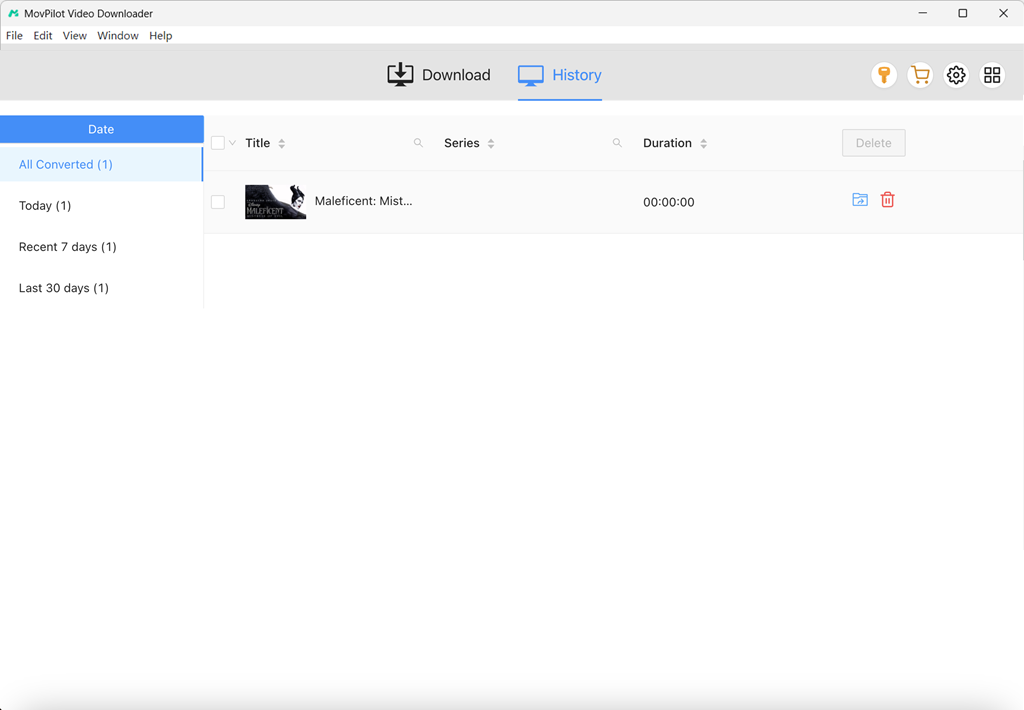
STEG 5. Once complete, open the file from the “History” section to start watching.
Method 3: Download Alien: Romulus via Free Websites
All the official channels mentioned earlier require payment to download content. So, if you’re looking for a completely free option, you’ll have to turn to third-party download websites. One well-known platform is Mp4Moviez. This site offers a wide range of movies for free download, including popular Hollywood and Bollywood titles in English, Hindi, and various regional languages. It provides multiple quality options, ranging from 240p to HD.
However, it’s important to note that the site contains pop-up ads. When you click the download link, it may redirect you to an ad page. You’ll need to close the ad and return to the movie page to proceed with the actual download.
Here’s how to download Alien: Romulus från Mp4Moviez:
STEG 1. Öppna Mp4Moviez webbplats i din webbläsare.
STEG 2. In the search bar, type “Alien: Romulus” and click “Search Movies.”
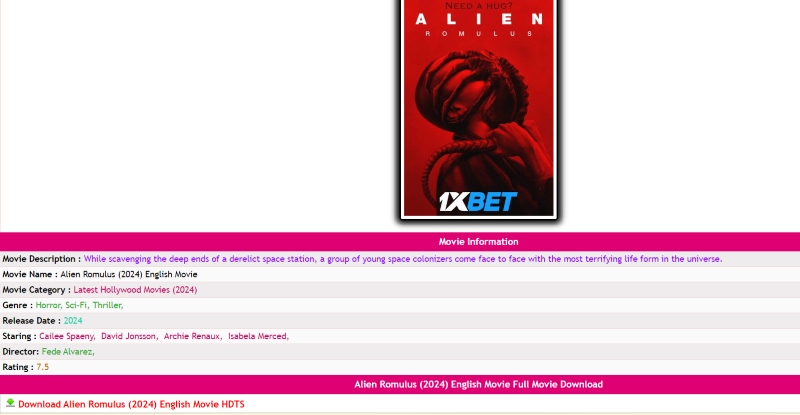
STEG 3. On the movie’s detail page, click “Download” to begin downloading the file.
FAQs of Downloading Alien: Romulus
Q1 Are there any other ways to download Alien: Romulus?
Yes. In addition to the methods mentioned above, you can also download Alien: Romulus by using screen recording software. However, this method is less efficient, as it requires you to play the entire movie in real time. During the recording process, you’ll also need to ensure that no pop-up notifications appear and that your internet connection remains stable to avoid interruptions.
Q2 Can I download Alien: Romulus on my PC?
Most streaming platforms like Netflix, Hulu, and Disney+ only allow downloads on mobile devices, not on PCs or web browsers. So if you’re using these official apps, you can only download Alien: Romulus to your phone or tablet.
If you want to download the movie directly to your computer, you can use MovPilot All-in-One Video Downloader. It allows you to save the movie in MP4 on your computer. Then you can watch it on your PC and transfer it to other devices like smartphones and tablets for offline viewing anytime, anywhere.
Slutsats
That wraps up the three main methods to download Alien: Romulus. There’s no one-size-fits-all solution, as each method has its pros and cons. Choose the one that best suits your needs. If you already have a streaming subscription, the easiest way is to download the movie directly within the streaming app. If you’re looking for a free option, Mp4Moviez offers downloadable resources.
Our top recommendation is to use MovPilot allt-i-ett-videonedladdningsverktyg to save the movie as an MP4 file. It’s a one-and-done solution that gives you complete freedom to play the video anytime and transfer it across any device. Interested? Go ahead and give it a try!