


MovPilot YouTube Video Downloader

Ganar
Impermeable

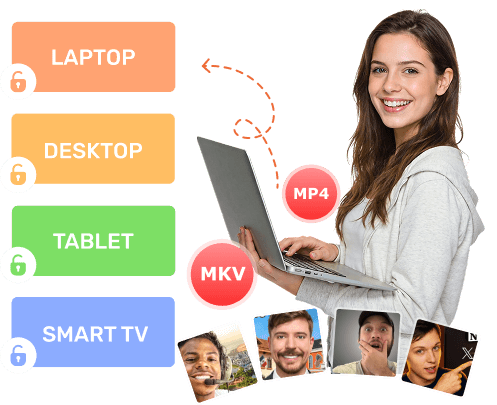
Download YouTube Videos as MP4/MKV Files

MovPilot saves YouTube videos as standard MP4 files, making them compatible with almost any device you own. Once downloaded, your videos can be played on laptops, desktops, tablets, smart TVs, or transferred to external storage devices.

Unlike streaming content, these files never expire. You can back them up, move them between devices, or build a personal offline video library that stays accessible anytime. Once downloaded, the videos are fully yours to keep.

Download YouTube Videos as MP4/MKV Files
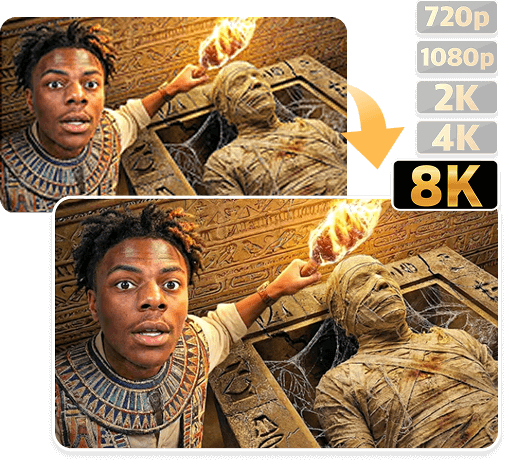
Save YouTube Videos in Up to 8K Original Quality

Save YouTube Videos in Up to 8K Original Quality

Video quality makes a big difference, especially on large screens.

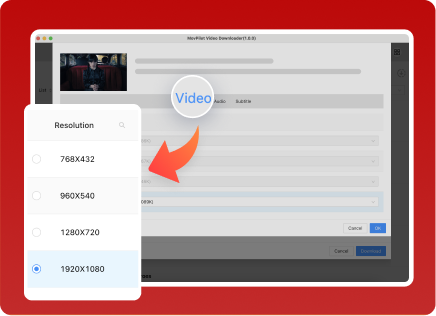
MovPilot gives you full control over output resolution, allowing you to choose exactly how your YouTube videos are saved. Whether you want a smaller 720p file or ultra-sharp 4K or 8K video, the choice is entirely up to you.

The YouTube video downloader preserves the original quality provided by YouTube, ensuring sharp visuals, accurate colors, and smooth playback — even after downloading. What you see offline looks just as good as what you see online.

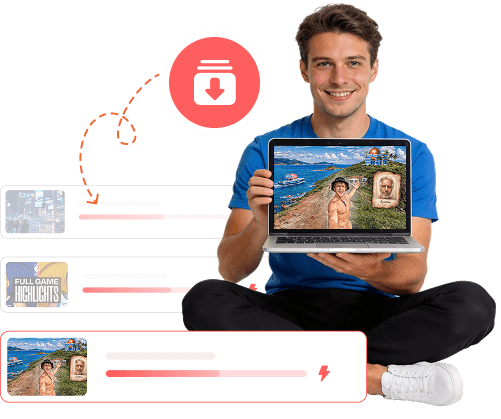
Batch Download YouTube Videos and Playlists with Ease

Downloading videos one by one can be time-consuming, especially when dealing with long playlists or series.

MovPilot supports batch downloading, making it easy to save multiple YouTube videos or entire playlists in one session. Simply add the content you want, and the software handles the rest automatically. This is ideal for downloading tutorial series, music playlists, educational videos, or large collections of high-resolution content without constant manual work.

Batch Download YouTube Videos and Playlists
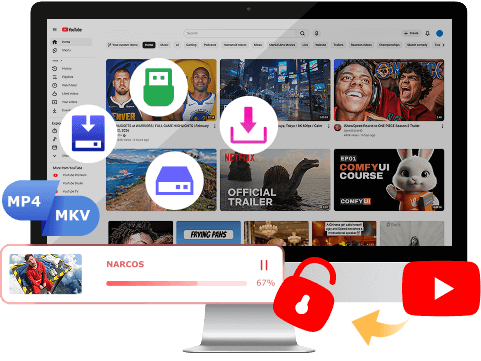
Break Free from YouTube’s Download Limits

Break Free from YouTube’s Download Limits

YouTube is built for streaming, not for saving content freely forever. Videos downloaded from YouTube are only cache files, which cannot be used and edited flexibly.

The YouTube video downloader removes these restrictions completely. It allows you to download YouTube videos directly in MP4/MKV to your computer, store them locally, and watch them anytime — or import them into your favorite video editing software for further editing.

Enjoy Flexible YouTube Download Options

Calidad de video
Pistas de audio
Opciones de subtítulos
High-Resolution Video Downloads

High-Resolution Video Downloads

MovPilot lets you fully customize how YouTube videos are downloaded. You can choose the video resolution you prefer, from standard HD all the way up to ultra-high quality options, including 1080p, 4K, and even 8K. This ensures your downloaded videos stay crisp, detailed, and visually identical to the original YouTube playback, even when viewed on large screens.

Original Audio Tracks Preserved

Original Audio Tracks Preserved

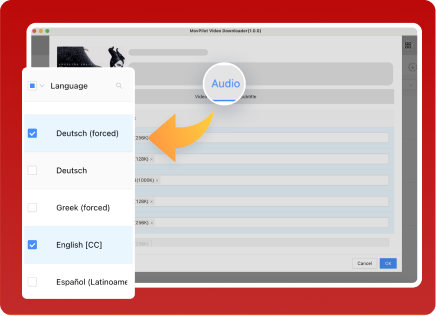
MovPilot preserves the original audio tracks included in YouTube videos during the download process. When a video offers multiple audio languages, you can select the language you want to keep. The audio remains synchronized with the video and maintains its original quality, giving you a smooth and authentic offline viewing experience.

Flexible Subtitle Download Options

Flexible Subtitle Download Options

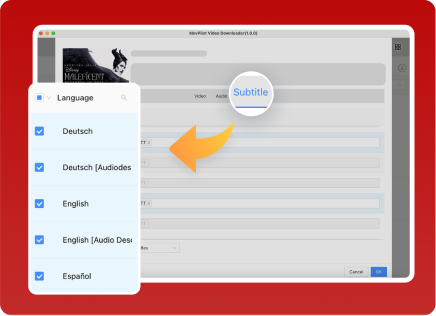
MovPilot gives you full control over how YouTube subtitles are saved. You can download videos with soft subtitles, hardcoded subtitles, or external subtitle files. External subtitles can be saved separately, making them ideal for language learning, editing, or playback across different media players while keeping subtitle accuracy intact.

Make YouTube Video Downloads More Powerful and Practical

Multi-Language Interface Support

Multi-Language Interface Support

MovPilot's YouTube video downloader supports multiple interface languages, allowing users from different regions to navigate and use the software comfortably in their preferred language.

Built-In YouTube Browser

Built-In YouTube Browser

MovPilot comes with an integrated YouTube browser that allows you to search and discover videos directly inside the software. You can find the content you want by keyword and start downloading immediately, without copying and pasting video links or switching between different apps.

High-Speed Download Acceleration

High-Speed Download Acceleration

This tool uses advanced download technology combined with hardware acceleration to ensure fast and stable performance. Whether you’re downloading individual videos or multiple items at once, the software maintains smooth operation and efficient processing to save you time.

Customizable Download Speed Control

Customizable Download Speed Control

MovPilot allows you to adjust download speed settings based on your preferences. You can prioritize faster downloads when time matters, or choose a more balanced speed to ensure stable performance while running other tasks on your computer.

Automatic Resume for Interrupted Downloads

Automatic Resume for Interrupted Downloads

If a download is interrupted due to a system pause, crash, or temporary connection issue, MovPilot automatically resumes the task once the program restarts. This ensures your downloads continue seamlessly without starting over.

Flexible Video Encoding Options

Flexible Video Encoding Options

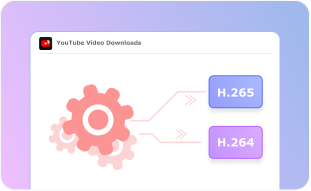
MovPilot provides flexible video encoding choices (H.265 y H.264) to match different usage needs. You can select efficient video codecs that balance quality and file size, ensuring smooth playback while optimizing storage space on your computer.

Metadata Retention for Better Organization

Metadata Retention for Better Organization

MovPilot preserves essential metadata information for downloaded YouTube videos, making it easier to identify, organize, and manage your files locally. This helps keep your video library clean and structured, especially when downloading large amounts of content.

Smart Post-Download Actions

Smart Post-Download Actions

After a download is complete, MovPilot can automatically perform preset actions such as opening the output folder for quick access or putting your computer into sleep mode. This helps streamline your workflow and saves you from unnecessary manual steps.

Reliable and Responsive Technical Support

Reliable and Responsive Technical Support

Whenever you need help with YouTube video downloading, MovPilot’s professional support team is ready to assist. From setup questions to troubleshooting, you can expect timely and practical solutions.

4 Simple Steps to Download YouTube Movies via MovPilot

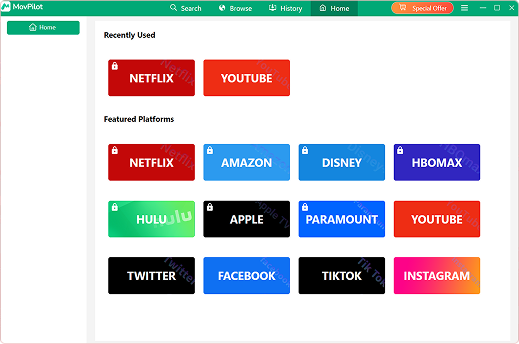
Interfaz de MovPilot
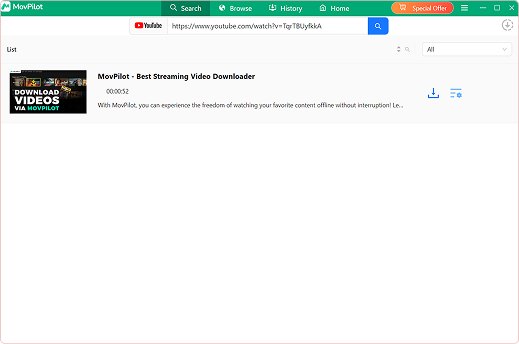
Paste YouTube Video Link
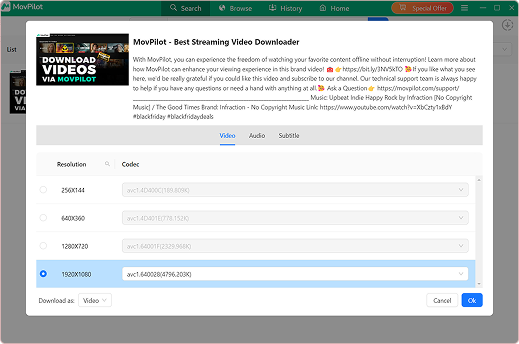
Select Output Quality
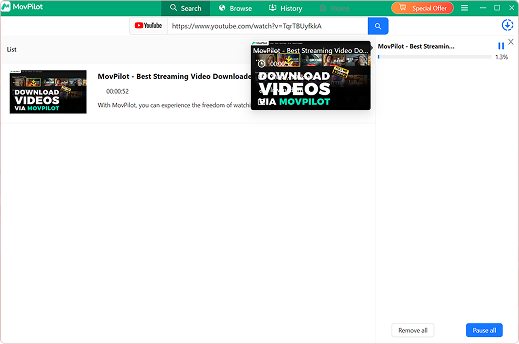
Downloading YouTube Video
Paso 1.

Launch MovPilot YouTube Video Downloader

Install the software on your Windows PC or Mac and open it.

Paso 2.

Search for YouTube Videos or Playlists

Use the built-in browser or go to the "Search" tab to search YouTube video by keyword or paste a link.

Paso 3.

Choose Output Settings

Select your preferred video resolution, format, audio, and subtitle options.

Paso 4.

Download and Save Locally

Click the "OK" button to save the selected YouTube videos to your computer permanently.

What Users Are Saying About MovPilot YouTube Video Downloader

"I often lead trips to remote locations where there’s no stable internet connection at all. Before each trip, I use MovPilot to download YouTube videos and playlists to my laptop and tablet. The downloads are fast and reliable, and having offline videos makes evenings much more enjoyable for everyone in the group."

"I rely on YouTube for long lectures and study playlists, but streaming isn’t always convenient. With this YouTube video downloader, I download videos in advance and watch them offline on my laptop whenever I need. The quality stays clear, and I don’t have to worry about buffering or losing access."

"I watch a lot of high-resolution YouTube content, especially 4K videos, and MovPilot makes it easy to save them locally. I choose the resolution I want and download everything in one session. Playback is smooth, and the video quality looks just as good offline as it does online."

"I spend a lot of time on planes and trains, where internet access is limited or unreliable. Before traveling, I use MovPilot to download YouTube videos and playlists to my laptop. It’s simple to use, the downloads finish quickly, and I always have something to watch during long trips."

Recomendado por medios autorizados

Reviewers highlight MovPilot YouTube Video Downloader for its ability to save YouTube videos in original quality, including Full HD, 4K, and even 8K resolutions. The software also stands out for its flexible subtitle handling, reliable batch downloads, and a clean, user-friendly interface that makes the entire process straightforward for both beginners and advanced users."

Actualización de Mac

"MovPilot is praised for offering precise control over YouTube video downloads, allowing users to choose resolution, audio language, and subtitle formats with ease. Its stable performance, fast processing speeds, and built-in browser make it a practical solution for users who want to keep high-quality YouTube content offline without unnecessary complexity."

Noticias de negocios Bill

"According to reviewers, MovPilot YouTube Video Downloader delivers a smooth and efficient downloading experience, even when handling large playlists or high-resolution videos. The software maintains original video and audio quality while offering flexible encoding options, making it well-suited for users who value both performance and file compatibility."

SOFTPEDIA

"Media reviews note that MovPilot combines high-quality YouTube downloads with thoughtful usability features. Support for up to 8K resolution, subtitle customization, and automatic resume for interrupted downloads are frequently mentioned highlights, along with the software’s stable operation and responsive technical support."

Ronda de tecnología

Preguntas frecuentes

1. ¿Cuál es la limitación de la versión de prueba gratuita de MovPilot?

+

The free trial only allows you to download the first 6 minutes of a YouTube video. When you subscribe to our service, you will be able to save the full video.

2. Can I download YouTube videos in 4K or 8K?

+

Yes. MovPilot is able to download 4K YouTube videos as well as 8K ones, depending on the original video quality available on YouTube. You can manually choose the resolution before downloading to balance visual quality and file size based on your needs.

3. Does MovPilot support YouTube playlists?

+

Yes. MovPilot allows you to download entire YouTube playlists or multiple videos at the same time using batch download. This makes it easy to save long video series, music playlists, or educational content in one session without downloading each video individually.

4. Can I download audio only from YouTube?

+

MovPilot does not support downloading audio as a standalone file. Instead, it preserves the original audio tracks included in YouTube videos. If a video contains multiple audio languages, you can choose which audio track to keep during the download process.

5. Are YouTube subtitles supported?

+

Yes. MovPilot supports downloading YouTube videos with subtitles. You can choose to save subtitles as soft subtitles, hardcoded subtitles, or external subtitle files, giving you flexibility for playback, language learning, or editing purposes.

6. Is MovPilot safe to use?

+

Yes. All video downloads and processing are handled locally on your computer. MovPilot does not collect, store, or upload your personal data, ensuring a safe and private downloading experience.

7. Does MovPilot work on Windows 10 and laptops?

+

Yes. MovPilot works smoothly on Windows 10, Windows 11, and macOS, and is fully compatible with most PC and desktop computers. As long as your system meets the basic requirements, you can use MovPilot without any issues.

Free Download MovPilot YouTube Video Downloader and Try It Now

Download YouTube videos, playlists, audio, and subtitles in original quality — up to 8K — and enjoy unrestricted offline playback on your own devices.

Cerca